 Quasi
QuasiSay it,
hear it done.
1. Quasi is a small experiment in computing without a screen.
2. You speak into a pocket recorder while your phone stays locked and in your bag.
3. A few short sounds from your phone tell you that you were heard, understood, and that the thing you asked for is done.
What it can do
Quasi only does six things. For now.
-
Take a voice note.
Press the button, talk the way you think, press again. The note is written down, in whatever mix of languages you spoke it, and kept with the recording in a logbook you can read later. If you like, it goes into Apple Notes as well.
-
Send an iMessage to a friend.
"Send a message to Alex that I'll be five minutes late." The message goes out from your own number, to Alex in your contacts, while the phone stays locked in your pocket. If there are two people called Alex, Quasi asks which, and your next recording is the answer.
-
Add tasks to Todoist.
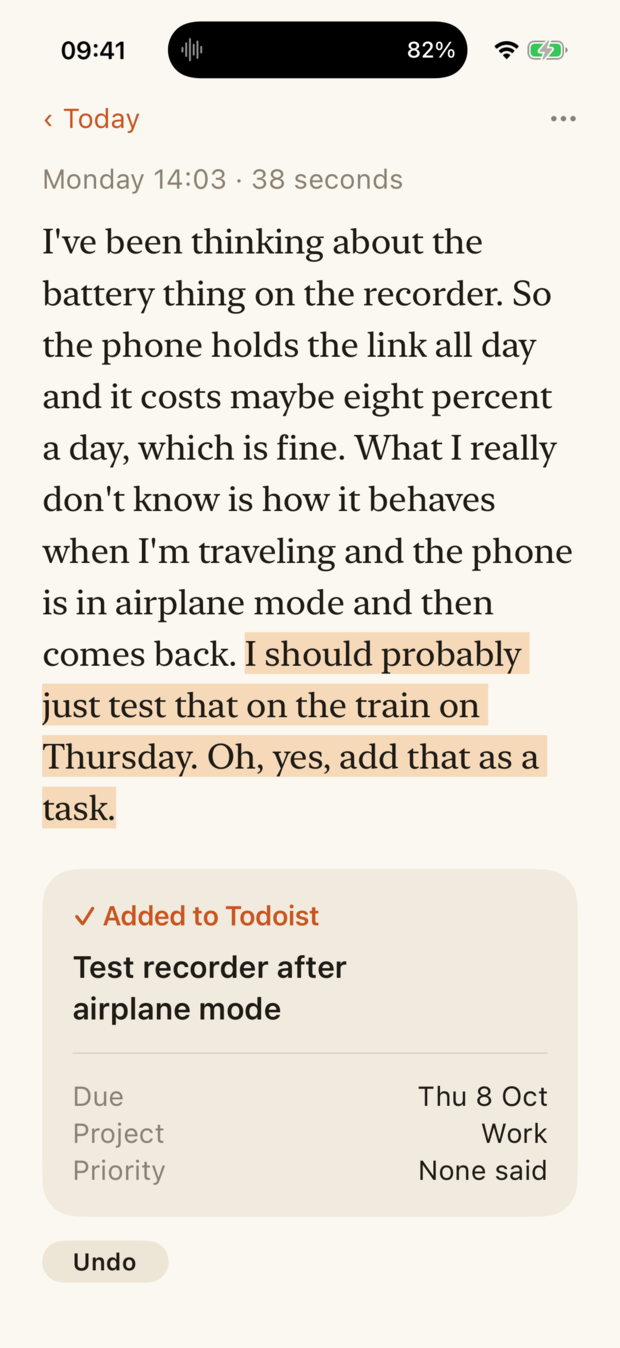
"Add a task, call the plumber tomorrow morning." One task or several, with the day, time, repeat, project and priority you said, and the words you said them in.
-
Set a reminder.
"Remind me at five to call my mother." It goes into Apple Reminders, and your phone reminds you at five, like any other reminder.
-
Start a timer.
"Set a timer for ten minutes, pasta." The countdown runs on your Lock Screen and rings like the Clock app's timer.
-
Change your mind.
"Send Franziska a message that I'll be late. Oh, never mind, don't send that." Whatever you call off while you talk is not sent, added or started, and the logbook says what you called off.
The sound language
An aural language for screen-free life
Without a screen, you still need feedback. That's why Quasi speaks to you with a small vocabulary, so you know what it's doing and when it's done. Each word has its own sound, and the sounds are easy to learn.
Example 1: A voice note turns into two tasks
Quasi's vocabulary used here
More examples
Every voice note is the same short sentence of sounds. What changes is how the sentence ends, or where it breaks off.
What it does
The screen is for afterwards.
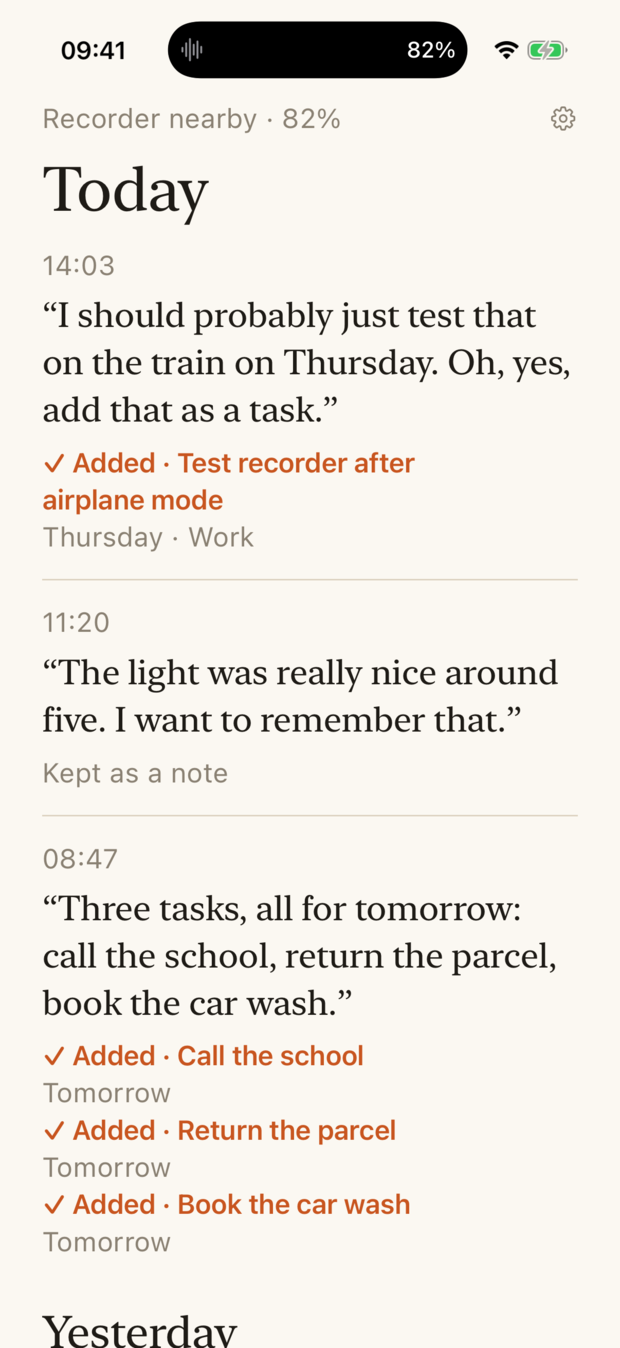
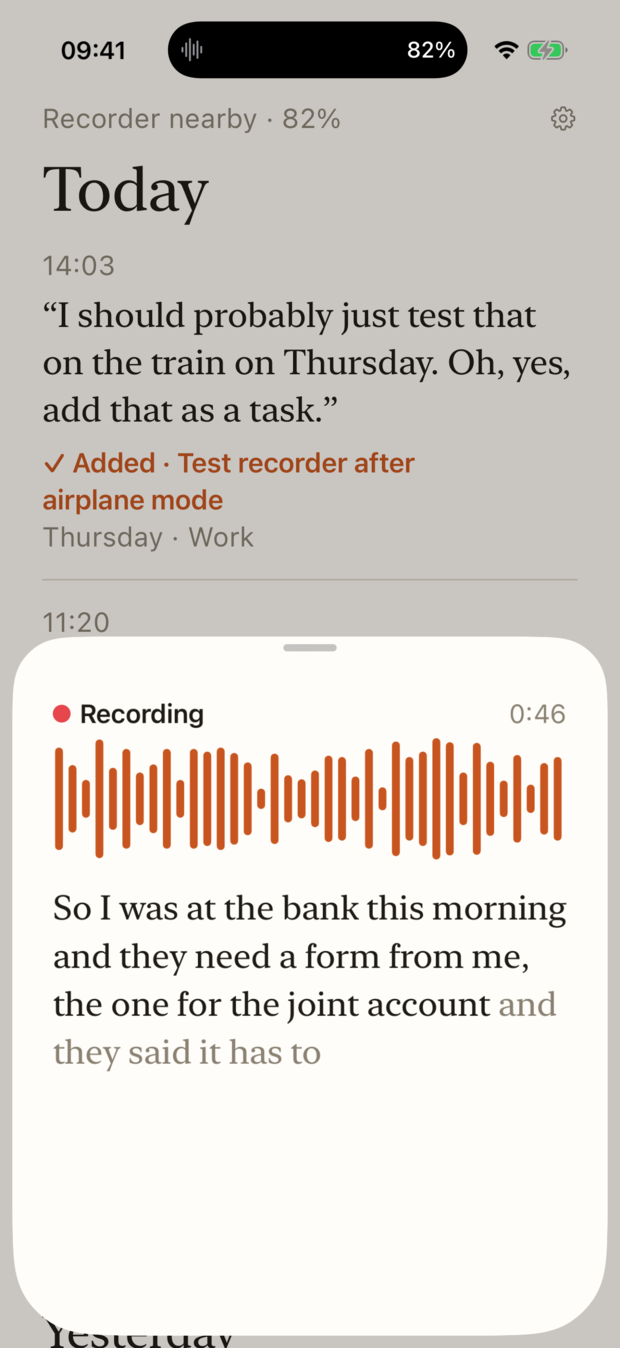
The app is where you check what happened, not where things happen: your words in a serif, the app's in plain type, and one orange that only ever means "I did something".
Why
Nothing to look at.
The tools that can finally understand what we mean still ask us to stare at glass to use them. Quasi is a guess at the other direction: a button to press, your own voice, and sound coming back. The recorder is the interface. The phone is a quiet machine in a bag.
It is called Quasi because you speak as if someone were listening.
What it is, plainly
An experiment, not a product.
- It needs a specific recorder. It was built for one Comulytic Note Pro, by its owner, and has been tested with exactly that one.
- The phone has to be on and nearby. A phone that is locked, dark and in another room is fine. A phone that is switched off or out of Bluetooth range is not.
- It needs your own accounts with OpenAI and Anthropic. Writing the note down uses OpenAI, and finding the tasks and messages in it uses Anthropic's Claude. Quasi has no account of its own; you sign up with each, create an API key there, and paste it into the app when it first opens. Each service then bills you directly for what Quasi uses, a few cents a day. Todoist works the same way, and sending a message uses Linq, a relay with a line of its own. Those are the only places your words go, and the relay sees only a number and the text.
- Sending a message takes a detour. No app may send an iMessage. So Quasi texts your own phone through the relay, and a Shortcuts automation on the phone, set up once by hand, sends the text on from your number. It works with the phone locked, in about three seconds.
- It is not in the App Store. The iPhone app comes through TestFlight. Setting it up walks through that, and through the accounts, the API keys and the relay, step by step.
The source is on GitHub, under the GNU General Public License, version 3.
Want to try it?
Write to me.
If you have a Note Pro, the app is on TestFlight, and the setup page takes you from there to the first note, the first task and the first message. If you get stuck, or want to talk about computing without a screen, send me an email. I'm Alexis, and I read every one.