Alexis Rondeau

My newsfeed

Everything I post, write, build and read, in the order it happened: dispatches from Twitter, posts and comments from Hacker News, videos from YouTube, my notes, my code on GitHub and the books I read on Kindle, archived here in full so they outlive the platforms.

1254 dispatches since January 2012 · page 37 of 51

Comment on I don't need your query language

I had a similar experience this month. We've been pair-programming using Dbt to write "long-form" SQL to bubble up a report to our business users.

After an initial "Uh-oh, I haven't manually written complex SQL in a while..." it all came back fast enough (Thanks, first-semester relational algebra!). Turns out, sql is well-suited for business "in-queries"!

The things that made us scratch our heads came from how the schema had evolved over time. We now have those hairballs at least 'contained' and visible. And it's all pretty readable imho.

I guess my initial unease came from using ORMs for CRUD persistence and very rare exploration. And holy moly, I'm grateful for ORMs. I wouldn't want to manually write those inserts and updates.

So, I guess it depends on what you want to accomplish with your database.

Btw: A HUGE shout-out to Dbt and Dbt cloud for letting us treat sql as code. Didn't expect to love it that much. How was this not a thing earlier?

132 reposts
Reposting @emollick · Jun 9, 2023

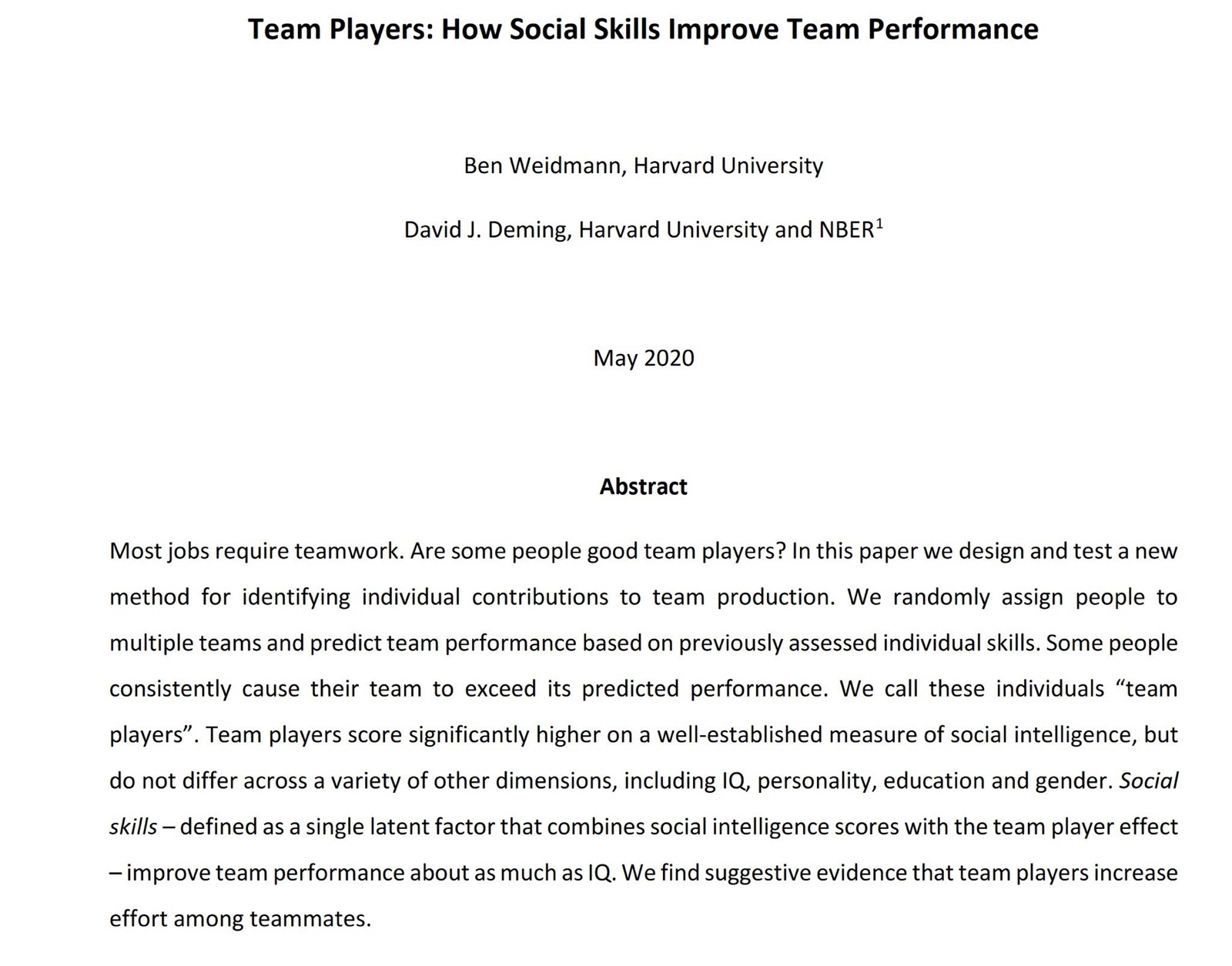
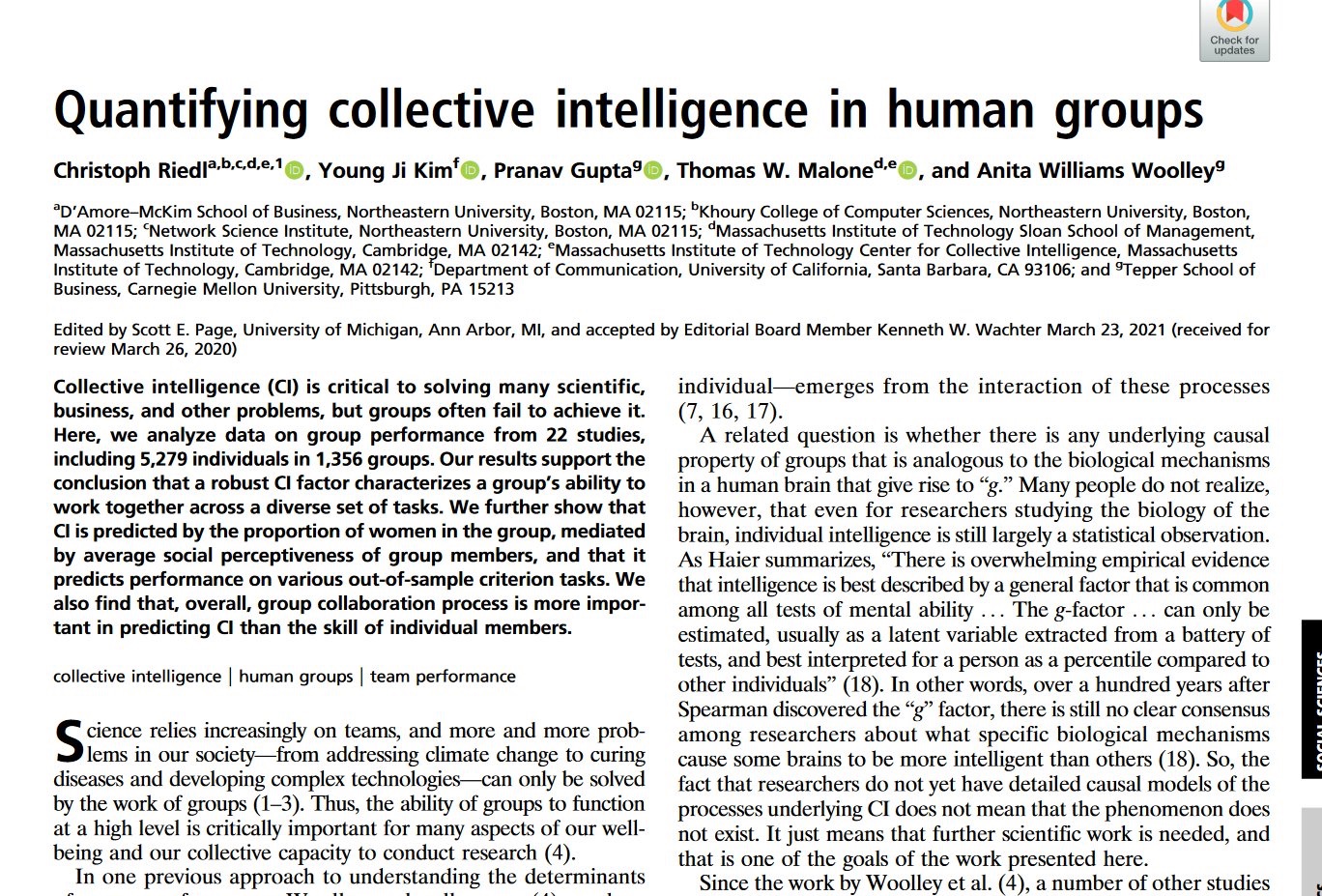
The collective intelligence of a team depends on more than the intelligence of individual members. It is limited by the emotional intelligence of the least sensitive team member

But adding folks with high social skills to a team & improving process boosts collective intelligence t.co/xBFpKP80kN

Image from the post
Image from the post
Image from the post

KeyPair

KeyPair makes using keyboard shortcuts during pair programming sessions easier.

1 star · Swift

KeyPair makes using keyboard shortcuts for pair programming sessions easier

https://github.com/akaalias/KeyPair/assets/111555/7fbafcf4-c90b-442a-a5ba-18a2692479cf

🎁 Download KeyPair!

The problem with hotkeys and pair programming

The problem I’ve had is that when one person is the “driver” in a pair programming session and the other is the ‘navigator’, when the driver uses keyboard shortcuts (while using the IDE for example) things start happening on the screen for the ‘navigator’ but it’s unclear why (because the navigator is looking at the screen, not the driver’s hands)

So, the app I made is a small window that shows when the driver uses any keyboard shortcuts that are triggered with the command, option, control, shift and function keys.

From simple things like Command-C/Command-V for copy and paste to complex commands like Command-shift-enter for code refactoring in IntelliJ.

Accessibility Settings

https://github.com/akaalias/KeyPair/assets/111555/2b0629af-0c4b-4c66-ba9c-052869628a5b

Reference and License

  • The main global key monitor that works with Accessibility and keeping the Sandbox intact for notarization by Apple was developed by @karaggeorge in their key-cast project. As their project is MIT licensed (and their code does the heavy-lifting here), this project is also MIT licensed and public.

🎁 Download KeyPair!

36 views
In reply to @emollick · May 28, 2023

This is a discussion of why it is so hard to build production software on LLMs: they are slow, weird, make errors & are inconsistent.

Thinking of AI as software results in disappointment. It is usually more helpful to think of AI as acting like a person (even though it isn’t). t.co/HIYxY88Xpn

@emollick To me, "[...] It is pretty good people" brings it full-circle back to Heinz Von Foerster's astute AND charming lecture "2 × 2 = Green".

@emollick
, thank you for putting into words what I keep wanting to say!

DiscogsHeinz Von Foerster - 2 X 2 = GrünView credits, reviews, tracks and shop for the 1999 CD release of "2 X 2 = Grün" on Discogs.↗ discogs.com

Poppy

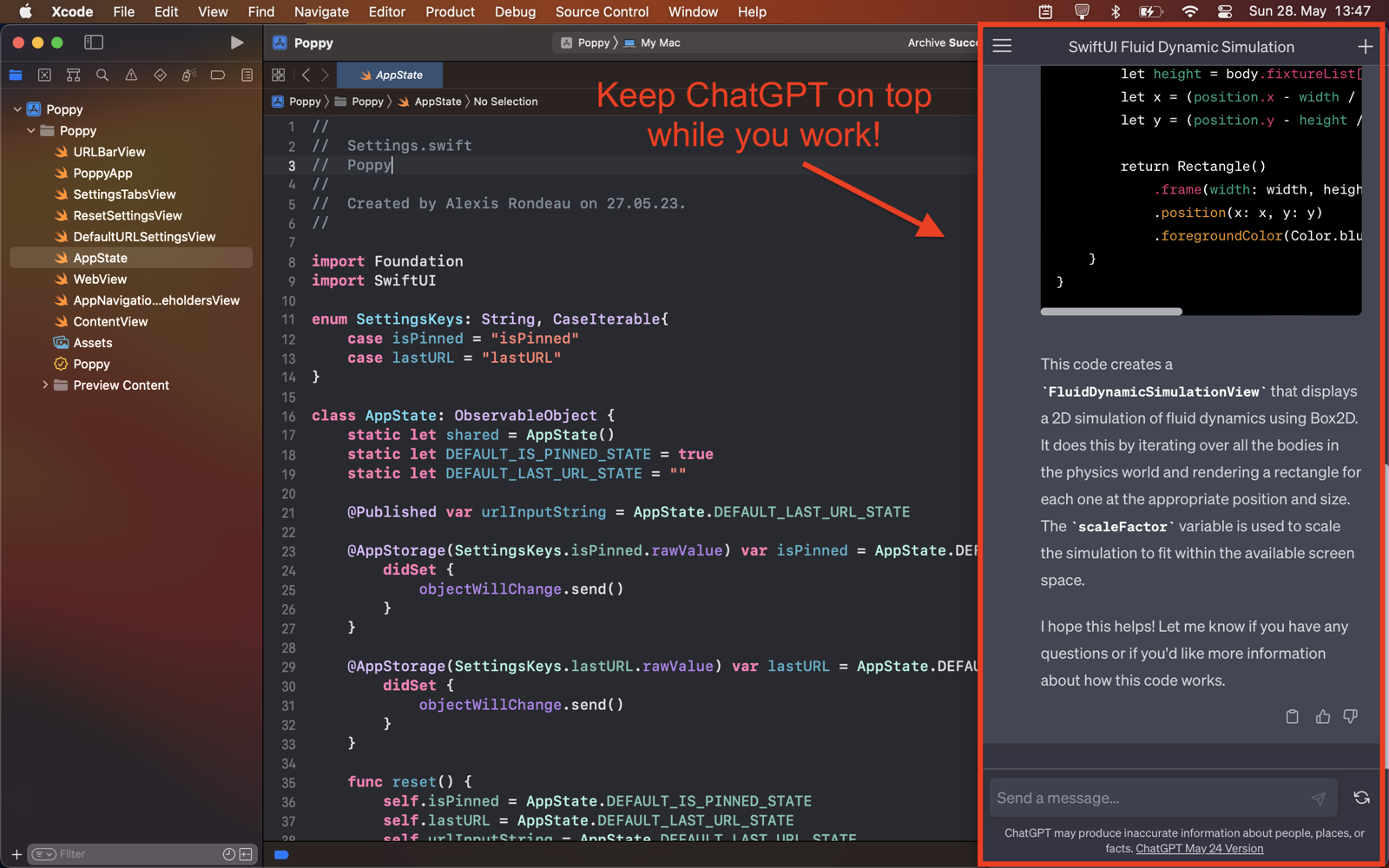
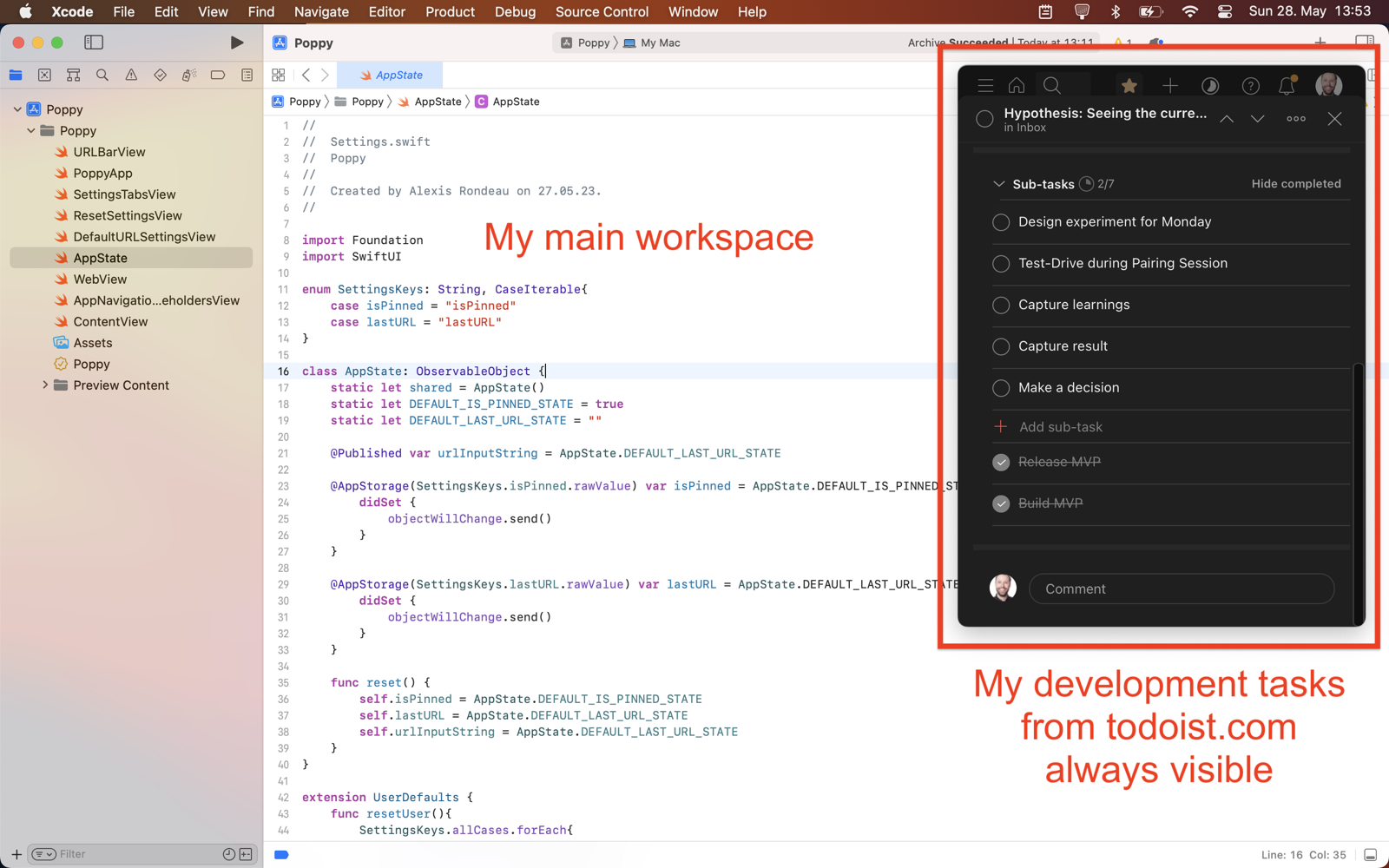
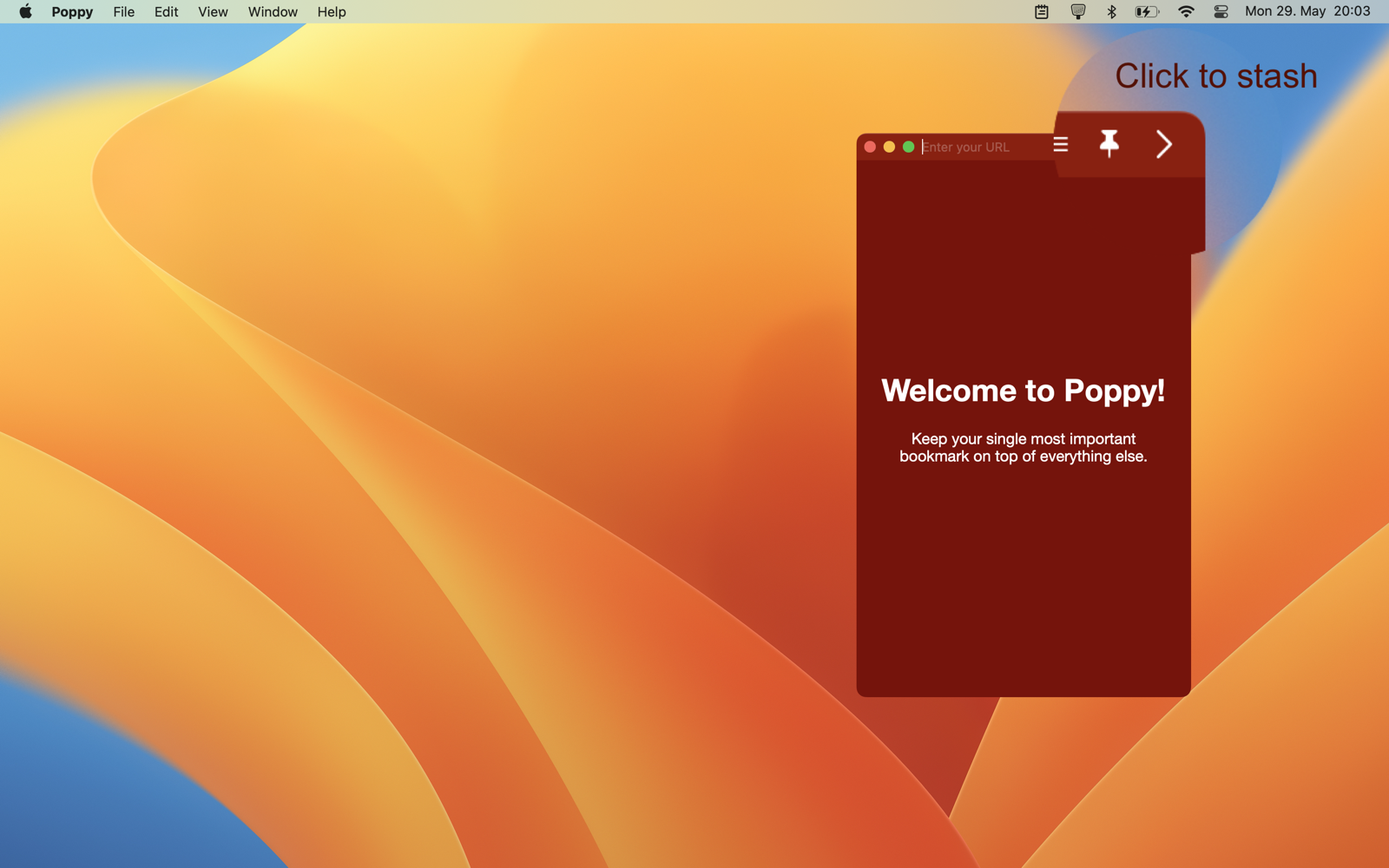
Poppy keeps your single most important webpage on top of all other windows. Very useful while writing with ChatGPT or pair programming on a backlog ticket.

5 stars · Swift

🎉 Poppy keeps your single most important website on top of all other windows.

Poppy is a free, tiny, native app for macOS Ventura.

It’s incredibly useful for…

…Writing and Editing with ChatGPT

Need ChatGPT visible during writing?

Always switching between ChatGPT and your working documents?

Want to maximize screen space?

ChatGPT

🎁 Get Poppy!

…Pair Programming Driver/Navigator-Style

Working on a giant shared display?

Do you prefer working in your IDE full-width?

Want to keep an eye on the backlog ticket?

Todoist

🎁 Get Poppy!

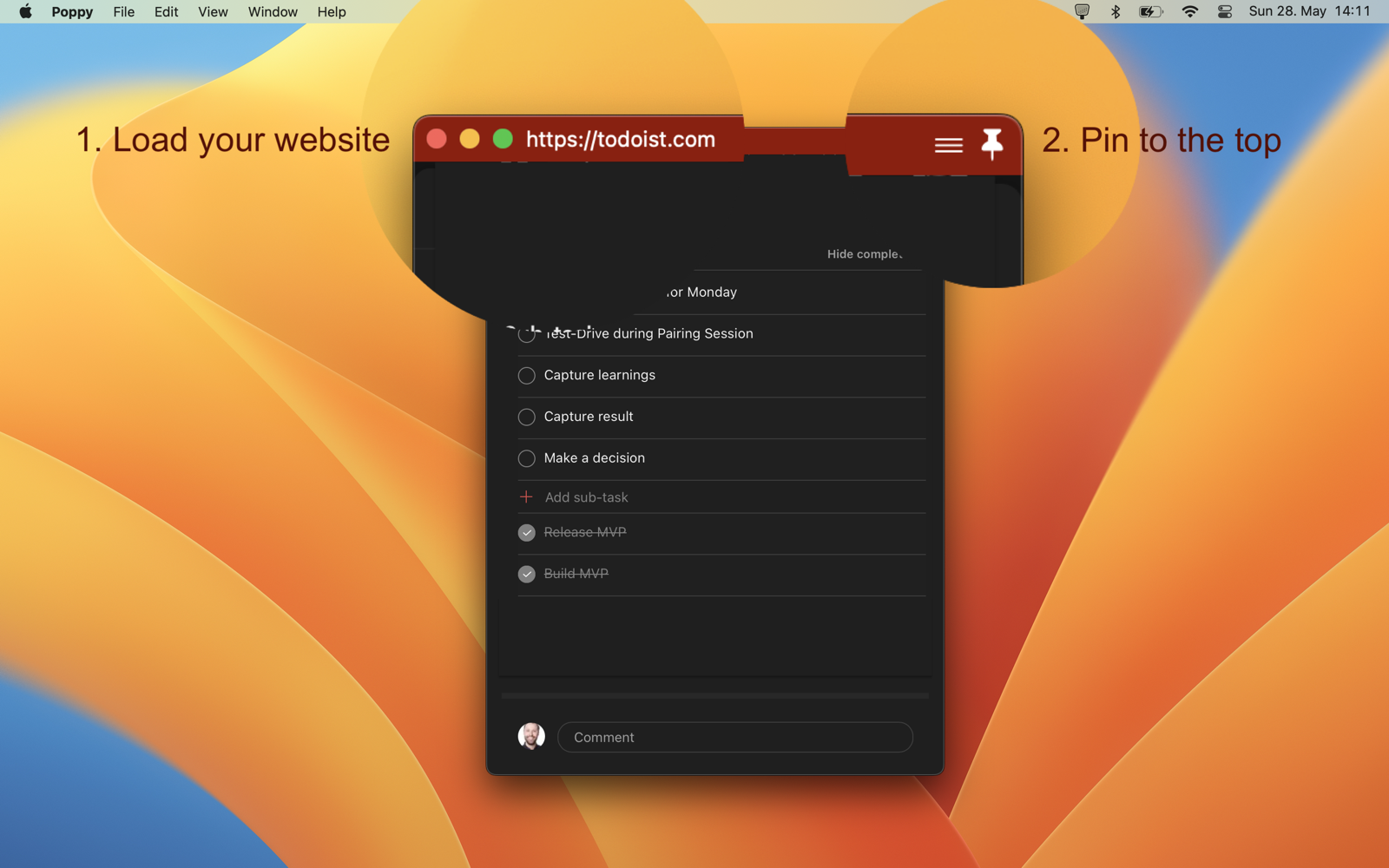
Works with all websites, pinning is optional

Got a different website?

Want to un-pin Poppy sometimes?

You got it!

Load and Pin

🎁 Get Poppy!

Stash and Un-stash

Need to briefly hide Poppy?

No problemo!

Stash

Un-Stash

Development Notes

Roadmap

  • … MVP test
  • Add automatic updates
  • Add global hotkey for show/hide

    • … Stress-test hotkey feature

Releases

Appendix

Made with love and relased under the GNU General Public License v3.0 by Alexis Rondeau.

obsidian-airgap

This plugin allows you to link to notes in an airgapped vault. This is useful if you want to link to ideas from one vault while working in a different one without the danger of mixing up the two.

6 stars · TypeScript

Airgap

This plugin allows you to link to notes in an airgapped vault. This is useful if you want to link to ideas from one vault while working in a different one without the danger of mixing up the two.

Preparation

To use this plugin, you must first create a list of all note titles in your airgapped vault.

  1. Install the plugin in both vaults: Your airgapped vault and the one you want to link from.
  2. In your airgapped vault: Search for "Insert list of note titles" using the command-palette, then run it. Copy the list of note titles to your clipboard.
  3. In the current vault: Paste it into the "Airgapped Titles List" setting of this plugin.

Usage

To link from your current to a note in the airgapped vault, simply type {{ (two curly braces).

This will trigger the search and a list of suggestions will appear. Select the note you want to link to and press enter.

The link will be inserted into your note and will be marked as an airgapped link using an emoji. This emoji can be configured in the settings.

Comment on Amazon Is Being Flooded with Books Written Entirely by AI

The flood began years ago with low-priced ghostwriting services.

I'd venture to say that most of the non-fiction ebooks, and especially the best-sellers for Kindle, are published by multi-nom-de-plume "grindset" publishers.

In 2017, a 10,000-word "booklet" on any non-fiction topic cost $200. That usually took about ten days from order to completion. The content was pretty much the same you'd now get via LLMs.

LangChainInABox

A native macOS app for playing with LangChain that ships with a self-contained, embedded, Apple-notarisable Python 3.11 and up-to-date LangChain libraries

2 stars · Python

v1.1

Hi there, Alexis here!

I love making 👏🏻 things 👏🏻 that 👏🏻 do 👏🏻 things 👏🏻.

This project is a ‘batteries-included’ macOS UI for LangChain. It ships with a self-contained, embedded, Apple-notarisable Python 3.11 and LangChain libraries. It also includes documentation on how to update langchain dependencies over time.

Why? Access to LangChain should be easy for those who want to change the world.

I saw my girlfriend fully embrace GPT-4 via an app I built for her. Even though it’s “just a UI to GPT-4”, it comes batteries-included. This allowed her to fully focus only on her projects and not the technology.

The hard, and tedious, part - like installing brew, getting the right Python version, creating the right venv, updating langchain, choosing and learning an IDE - should not a barrier to entry for her.

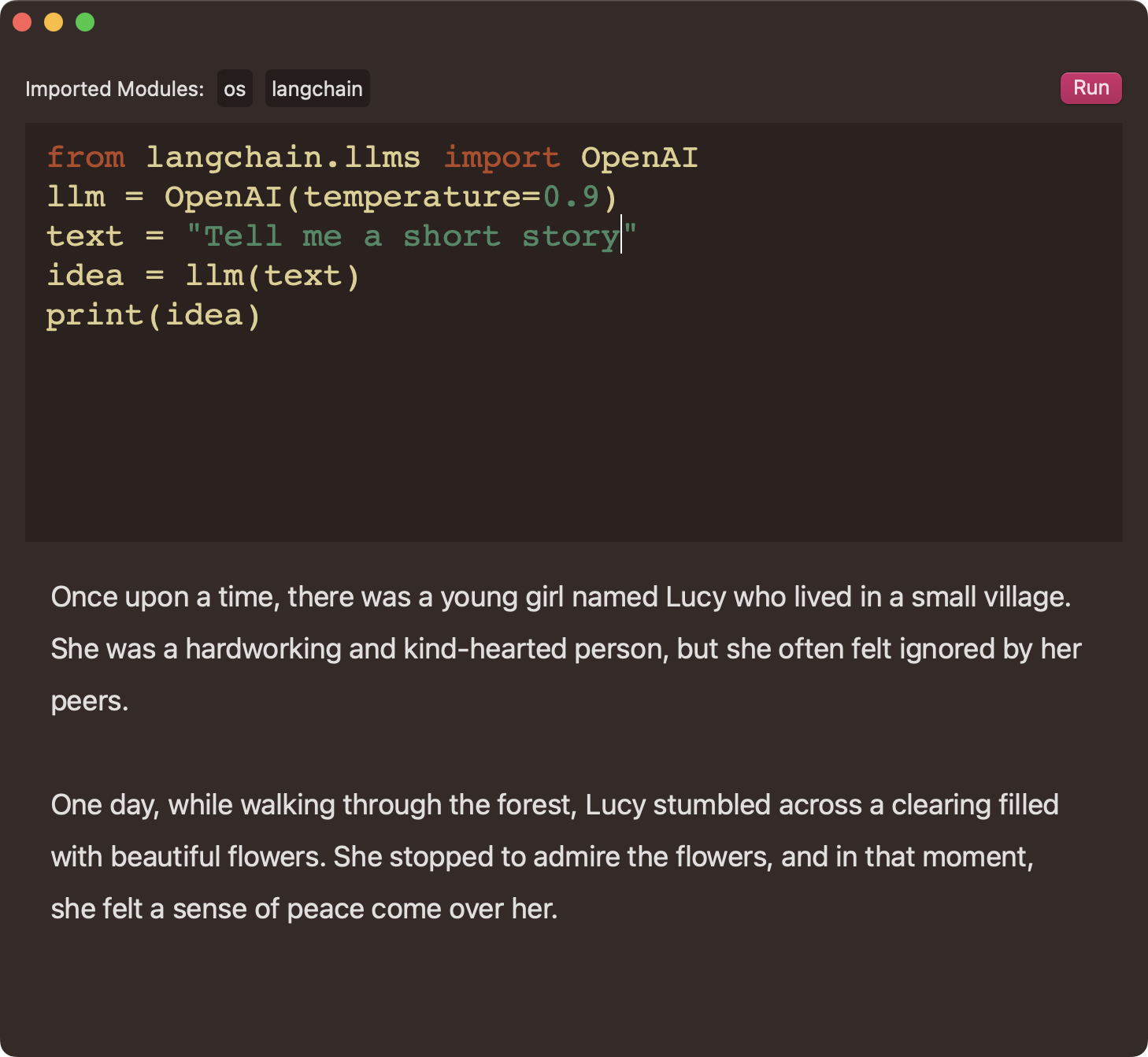
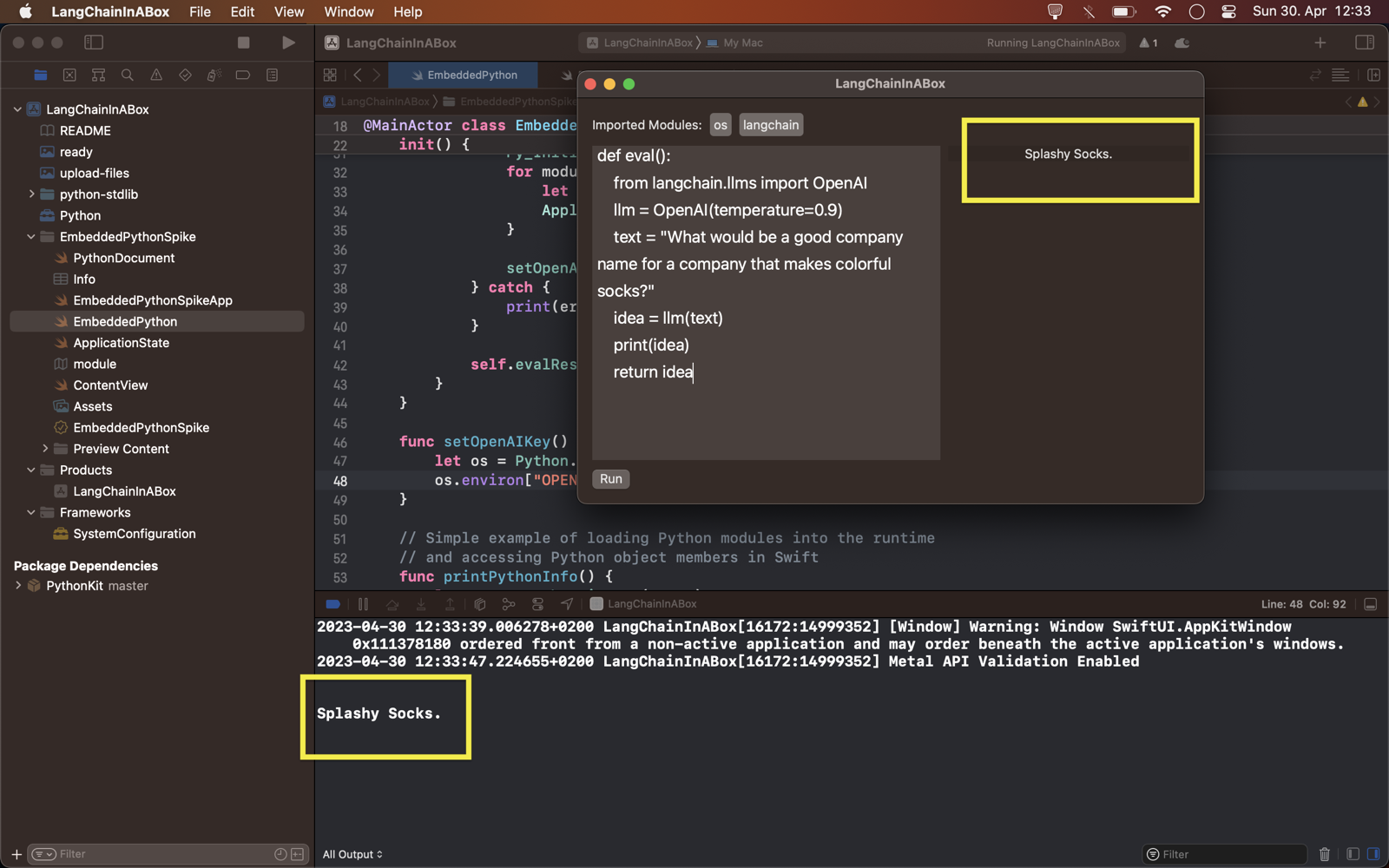
UI Evolution

Here you can see the small user-facing increments.

The first (working) UI!

v1.1

Got LangChain wired up!

First Success

Development Notes

To build with XCode, please create APIConfig.xcconfig under $ROOT/EmbeddedPythonSpike/Backend with this content

$ cd $PROJECT_ROOT
$ touch ./EmbeddedPythonSpike/Backend/APIConfig.xcconfig
$ echo "OPENAI_API_KEY = your-api-key" > ./EmbeddedPythonSpike/Backend/APIConfig.xcconfig

How to update LangChain and its dependencies

See the documentation for details (Not shown in XCode, use Terminal)

Distributing the App

This project is based on my template for embedding Python in a signed macOS app, which itself stands on the shoulders of these giants: Eldar Eliav, Eddie Espinal, and this person

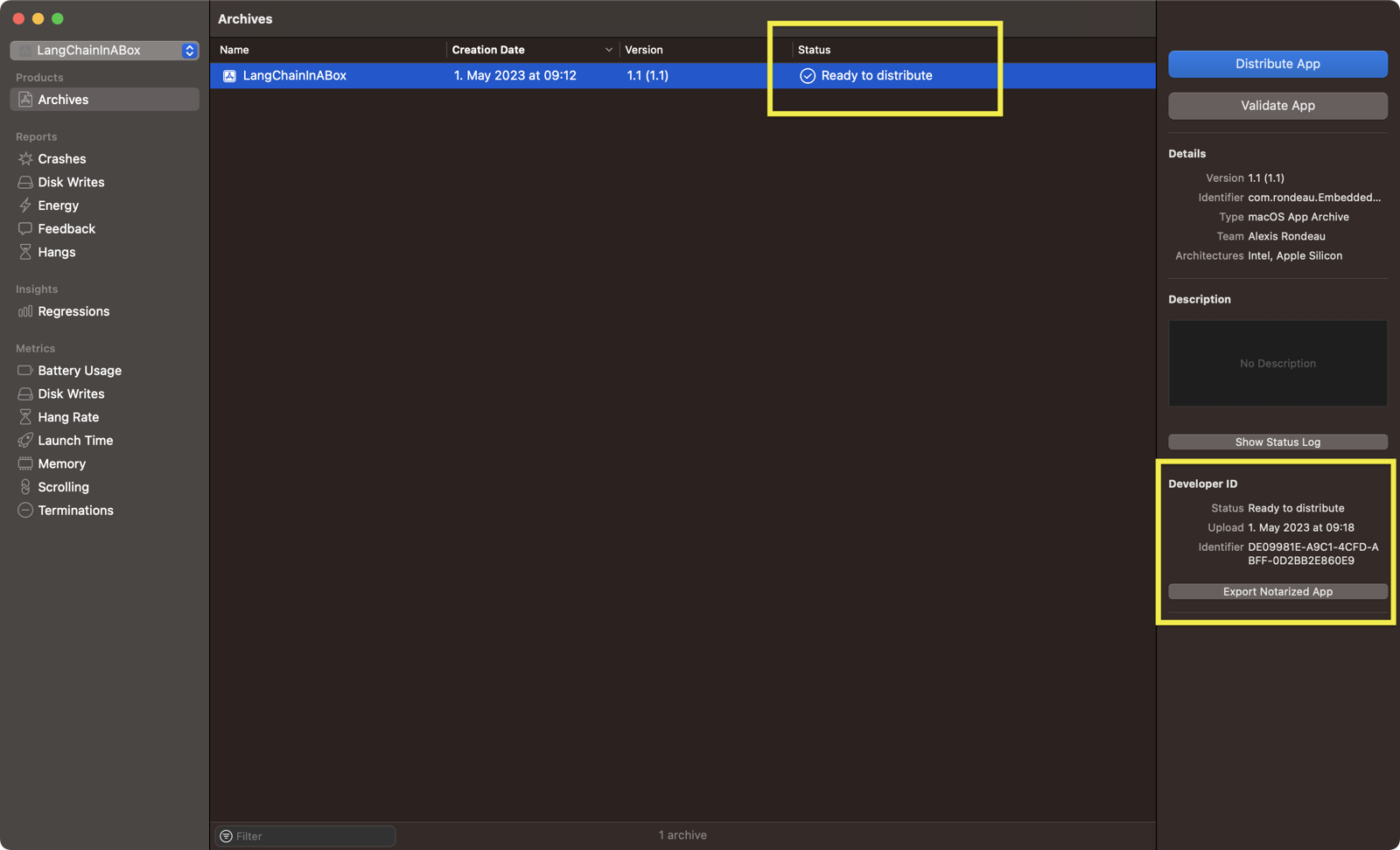
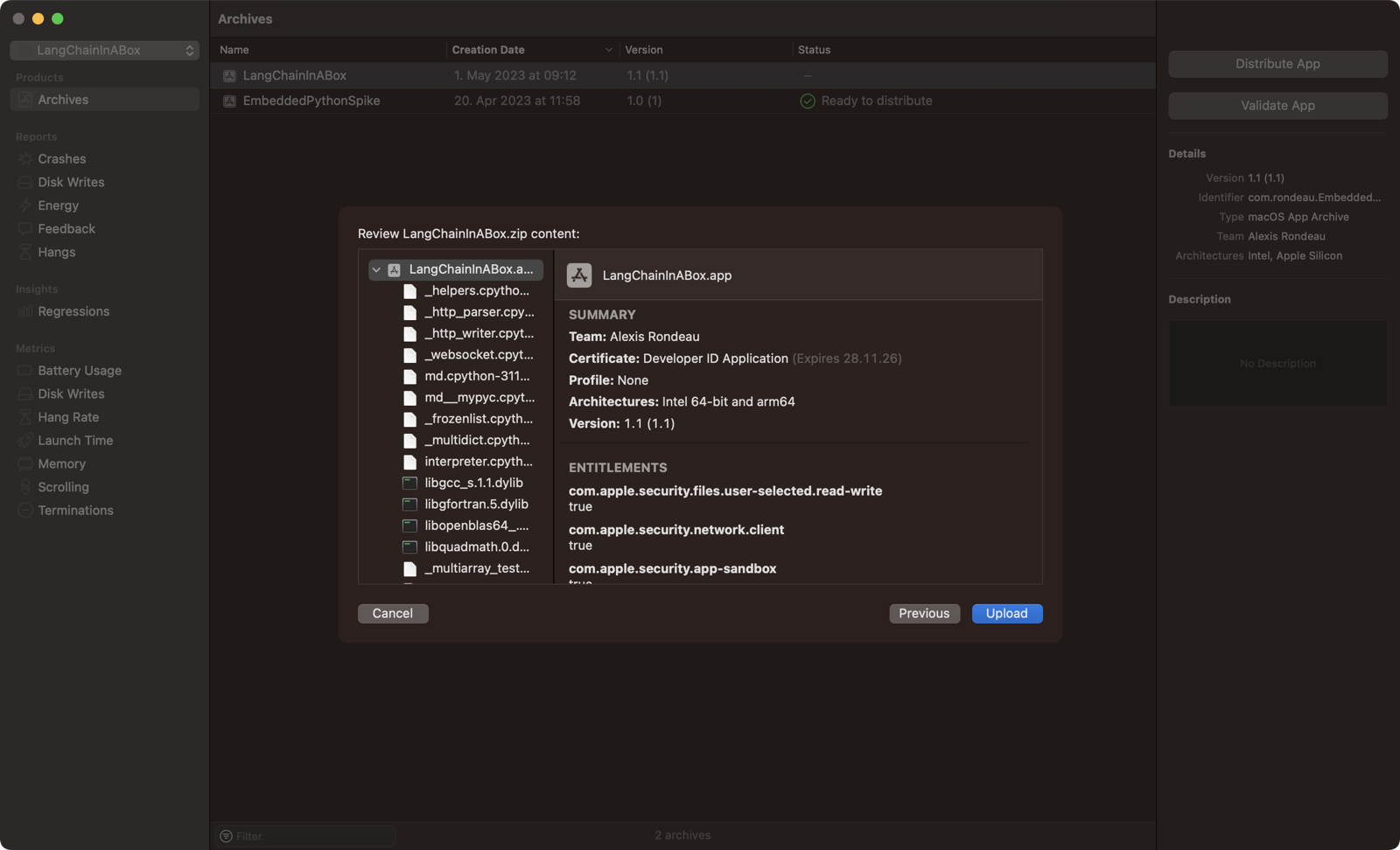
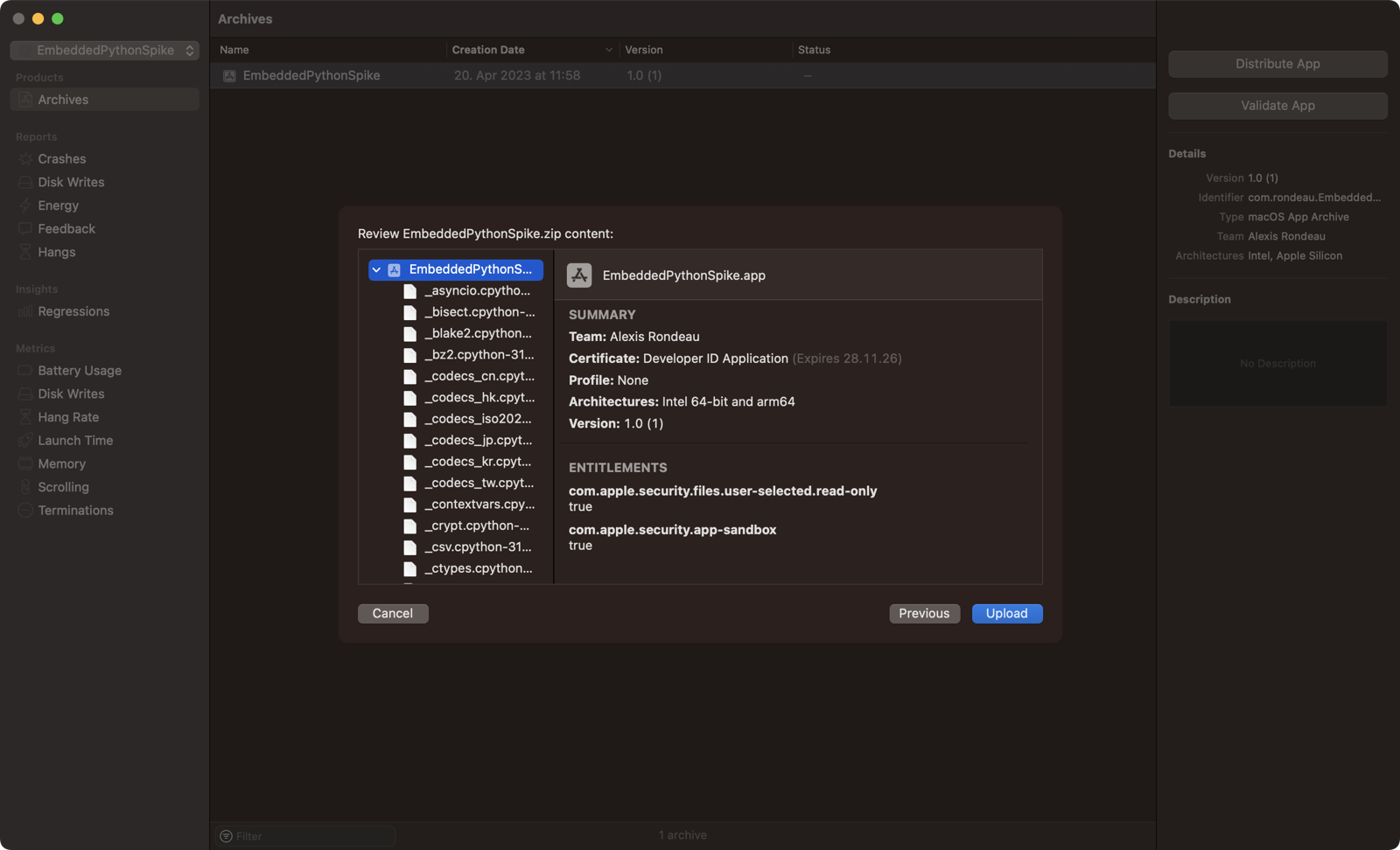
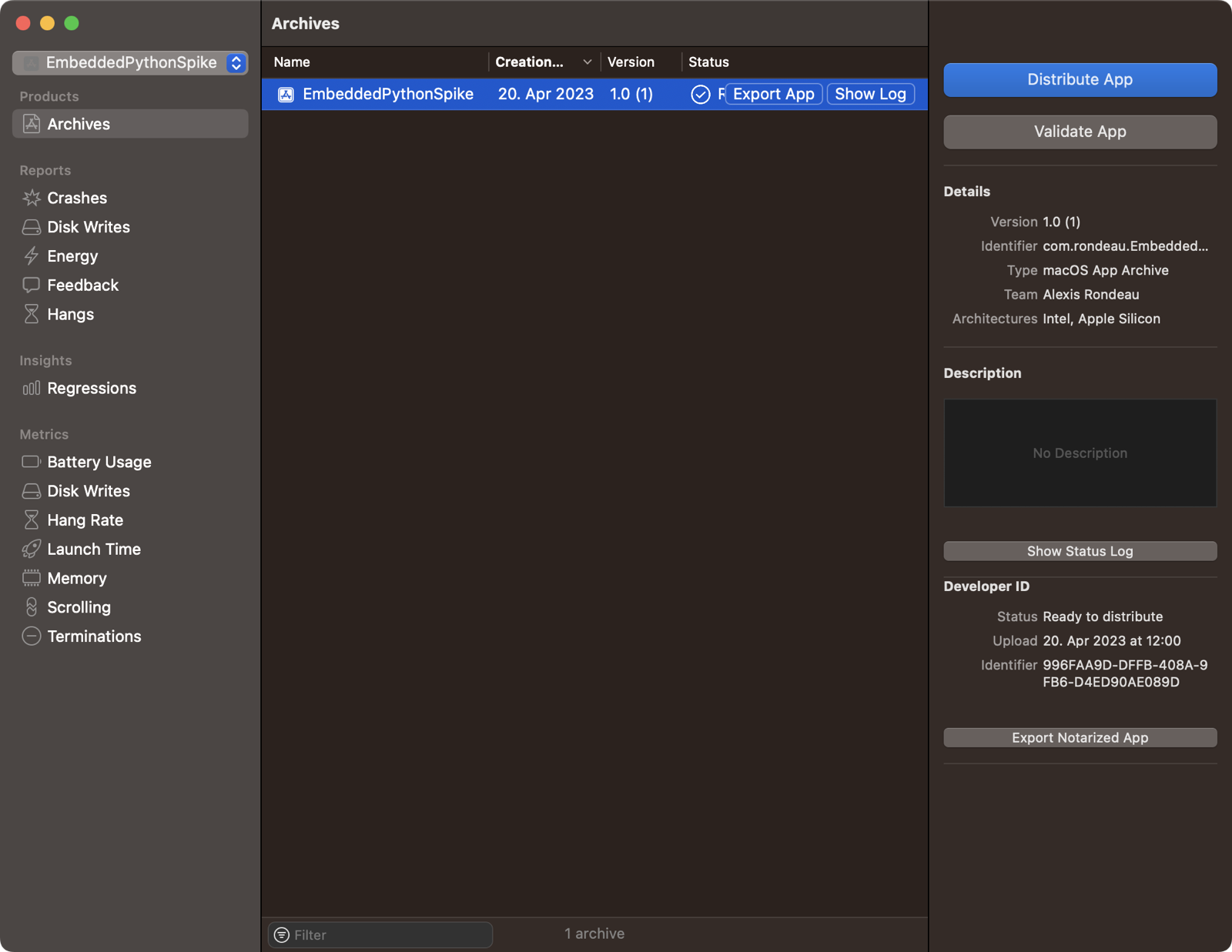
So far, I’ve successfully uploaded and got the bundle signed with my Developer ID.

Notarized with Developer ID Upload and Sign

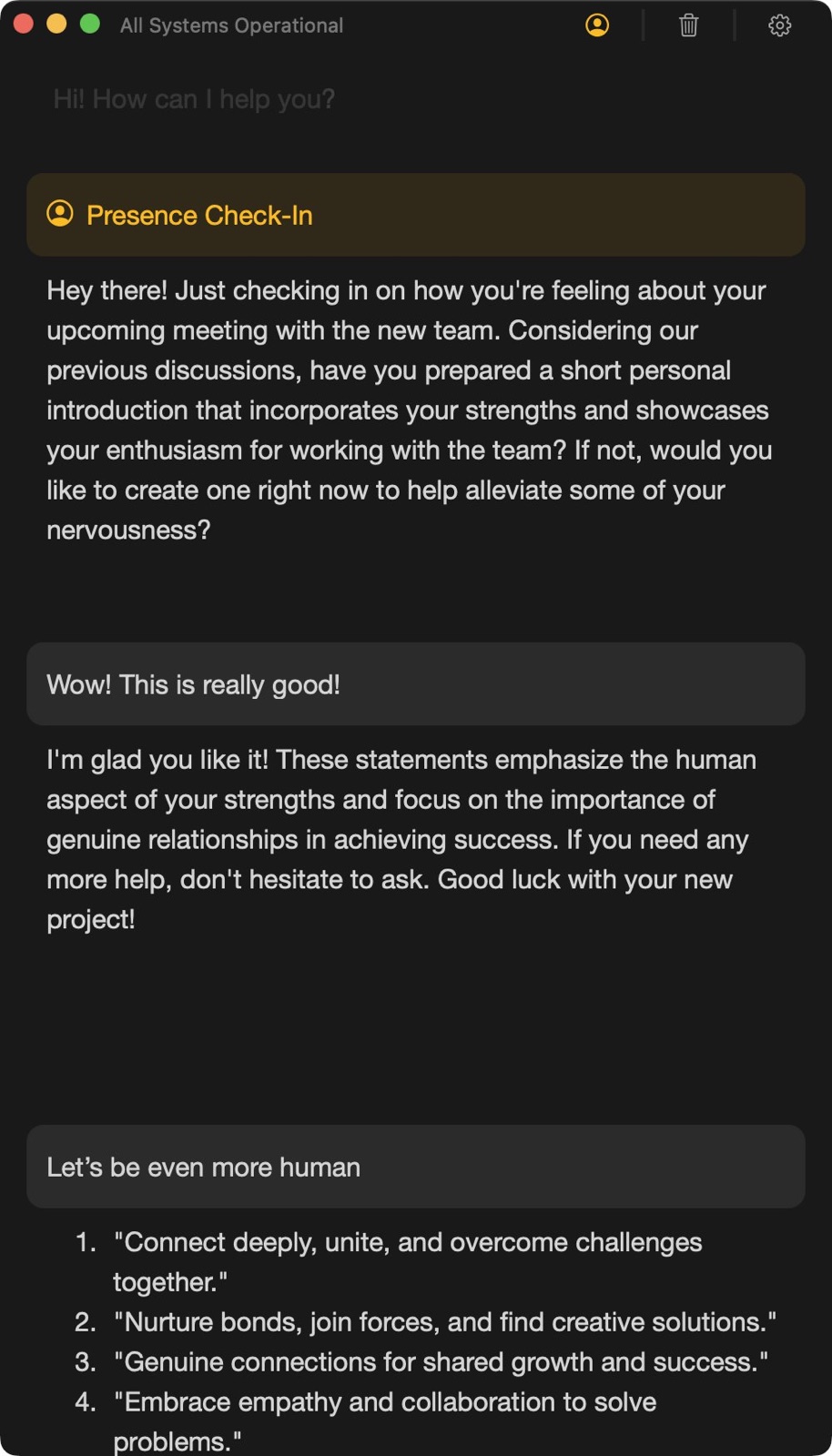
Comment on Show HN: A bespoke macOS UI for ChatGPT

Alrighty! Just pushed a new release for this.

As a sidenote: I'm so happy about being able to share something really, really 'neat' with you all.

Sure, in many ways, it's yet another UI to ChatGPT.

But to me it's something else: An absolute privilege to have jammed with my dear friend Tobi on something we are both excited about.

The real secret, what makes this little, random, opinionated macOS app so special is: It's time spent futzing around with a friend.

Plus, Ethan Mollick put it into words what I've been trying to say for weeks now (https://news.ycombinator.com/item?id=35712375)

There are no secret prompts. The secret is practice.

Which I believe is exactly what our app is great at.

Of course, there are other ways to tickle out those API keys. Be our guest! But as you're digging, please let me know what you think of the one about the New York Doll's. Or the one about that pale blue dot.

Let's also start _that_ conversation_ :D

60 views
In reply to @aashmngo · Apr 18, 2023

@upcycledwords very cool! might be fun to disallow backspace. this would truly make it a 'stream' of consciousness

@aashmngo @upcycledwords Agreed! No backspace and no return-key changes the experience a lot. It has helped me learn to love mistakes and not worry about typing accuracy at all. -@upcycledwords!–My typos make little fluffy clouds now. Feel free to give it a spin: getstreamline.app is open-source!

1 reply · 1 like · 24 views
In reply to @kepano · Apr 19, 2023

made a little @obsdmd plugin last night for stream of consciousness writing — it's so calming to write this way

credit to @upcycledwords who shared this idea t.co/eVUpzcDtEv

@kepano @obsdmd @upcycledwords Nice one! I wound up building a stream-of-consciousness app for my Obsidian (getstreamline.app) because my version of a plugin still distracted me. Will try yours!

EmbeddedPythonAppTemplate

A personal template project for a Apple-notarizable macOS app

1 fork · Python

Template for embedding Python in a signed macOS app

set -e

echo "Signing contents of $CODESIGNING_FOLDER_PATH/Contents/Resources/python-stdlib/lib-dynload as $EXPANDED_CODE_SIGN_IDENTITY_NAME ($EXPANDED_CODE_SIGN_IDENTITY)"

cd "$CODESIGNING_FOLDER_PATH/Contents/Resources/python-stdlib/lib-dynload"

/usr/bin/codesign --force --sign "$EXPANDED_CODE_SIGN_IDENTITY" --options runtime --timestamp=none --preserve-metadata=identifier,entitlements,flags --generate-entitlement-der *.so

Successful Test Output

Python Version: 3.11
Python Encoding: UTF-8
Python Path: ['/Users/$HOME/Library/Developer/Xcode/DerivedData/EmbeddedPythonSpike-ehqmlmwnoppyokdrvctjjjowcsrq/Build/Products/Debug/EmbeddedPythonSpike.app/Contents/Resources/python-stdlib', '/Users/$HOME/Library/Developer/Xcode/DerivedData/EmbeddedPythonSpike-ehqmlmwnoppyokdrvctjjjowcsrq/Build/Products/Debug/EmbeddedPythonSpike.app/Contents/Resources/python-stdlib/lib-dynload', '/Users/$HOME/Library/Developer/Xcode/DerivedData/EmbeddedPythonSpike-ehqmlmwnoppyokdrvctjjjowcsrq/Build/Products/Debug/EmbeddedPythonSpike.app/Contents/Resources/python-stdlib/lib/python311.zip', '/Users/$HOME/Library/Developer/Xcode/DerivedData/EmbeddedPythonSpike-ehqmlmwnoppyokdrvctjjjowcsrq/Build/Products/Debug/EmbeddedPythonSpike.app/Contents/Resources/python-stdlib/lib/python3.11', '/Users/$HOME/Library/Developer/Xcode/DerivedData/EmbeddedPythonSpike-ehqmlmwnoppyokdrvctjjjowcsrq/Build/Products/Debug/EmbeddedPythonSpike.app/Contents/Resources/python-stdlib/lib/python3.11/lib-dynload']

Archiving and Notarization

  • Product > Archive > Distribute App > ‘Distribute as developer’
  • Signing files (takes about a minute)
  • Upload to Apple
  • Waiting…
  • Ready to distribute!

Upload

Ready