Pageturner Hack for Kindle – Experiment (W21 Mini-Project)
TLDR; After getting frustrated, angry even, with how awkward and unreliable the “touch-screen-to-flipt-to-next-page” on the Kindle Classic is, I experimented with different ways to emulate a physical ‘next-page’ button akin to those found on more expensive devices like the Kindle Oasis. My ideal solution turned out to be a simple, twisted rubber band.
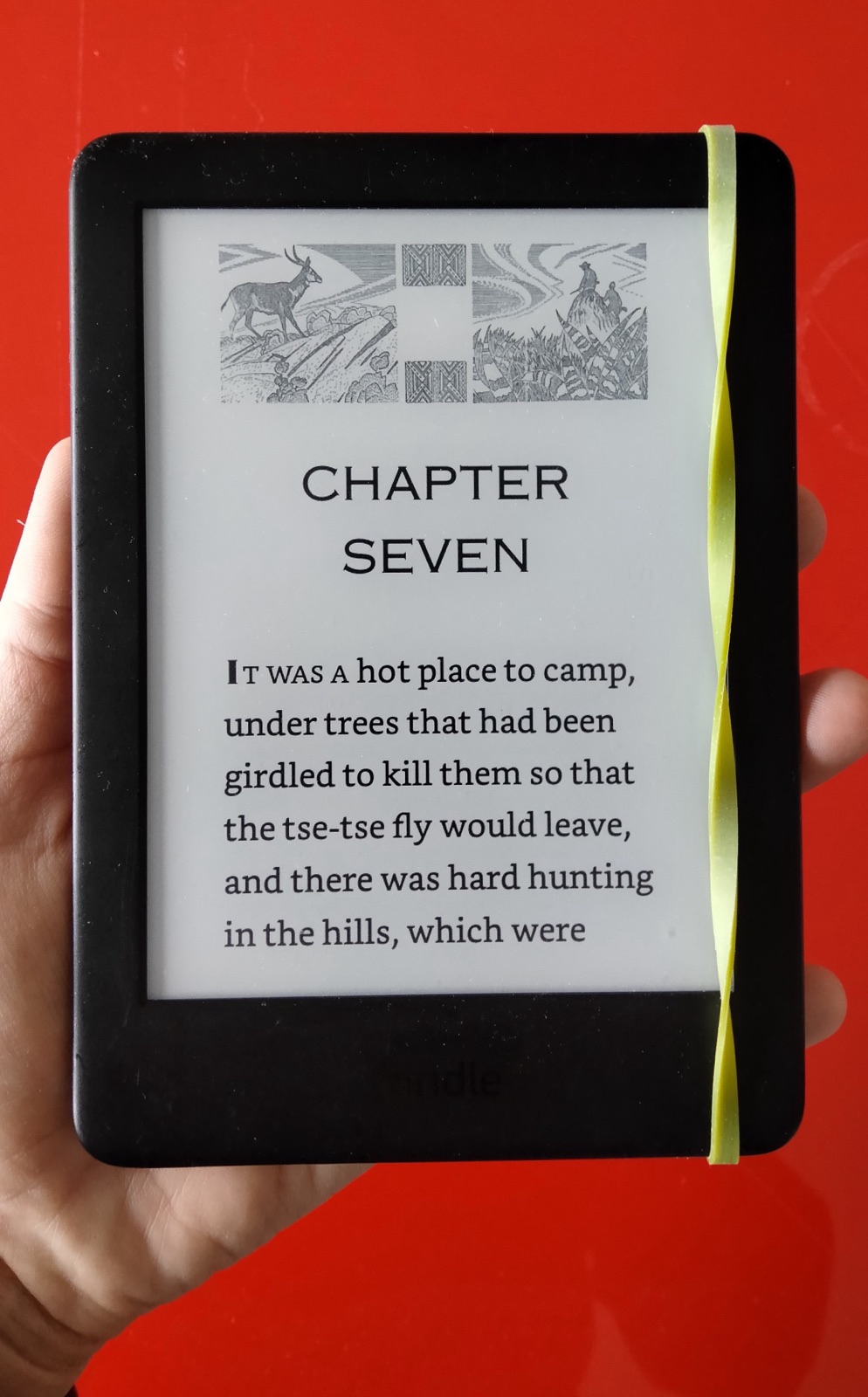
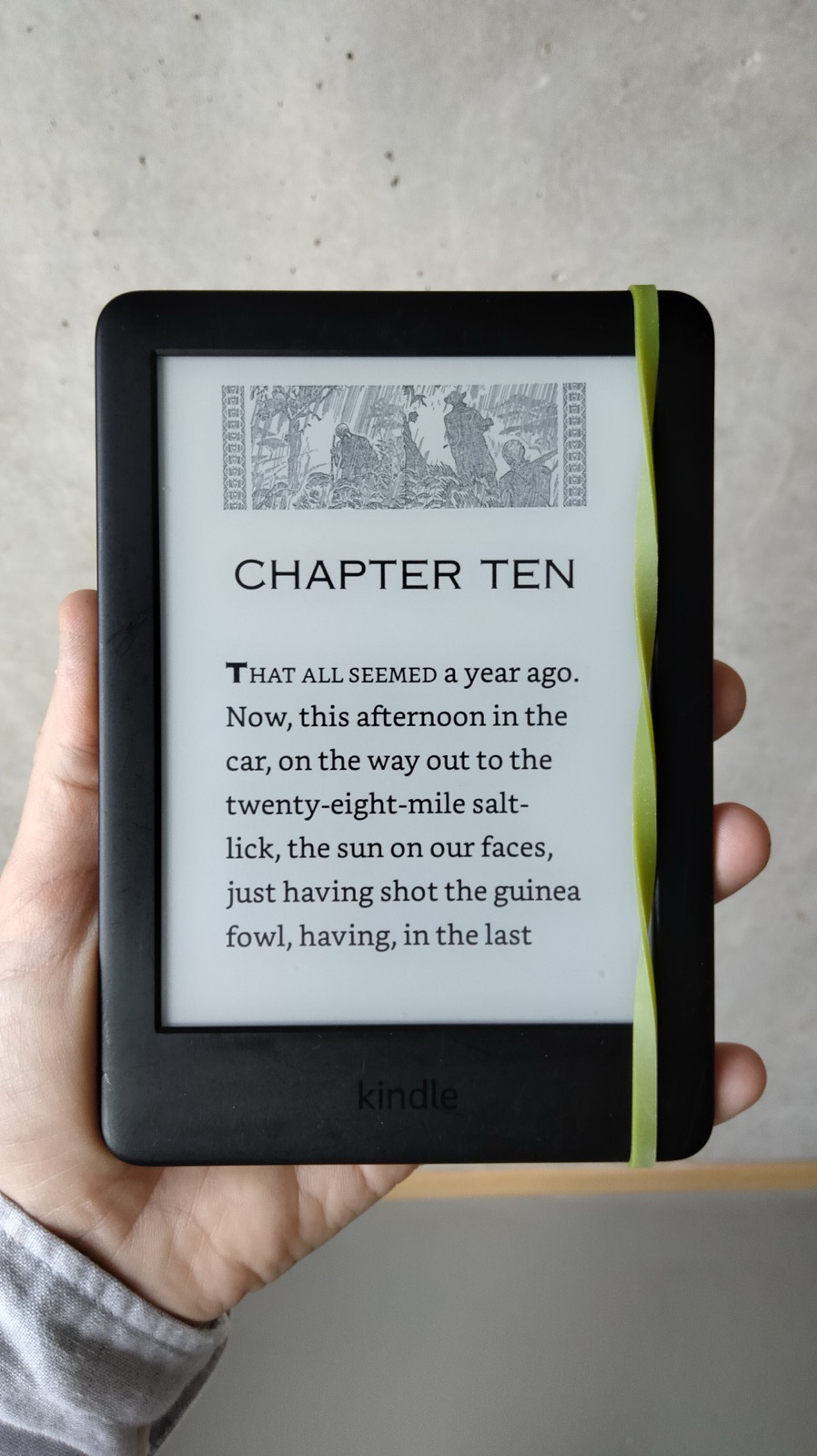
Demo

Meta-Learning
- The solution is much simpler and less complex (a fucking twisted rubber band!?) than I had expected – “Less But Better”
- What seems obvious and laughable now I was only able to discover through the process of iteration, experimentation and elimination
🔥 The problem I’m solving for
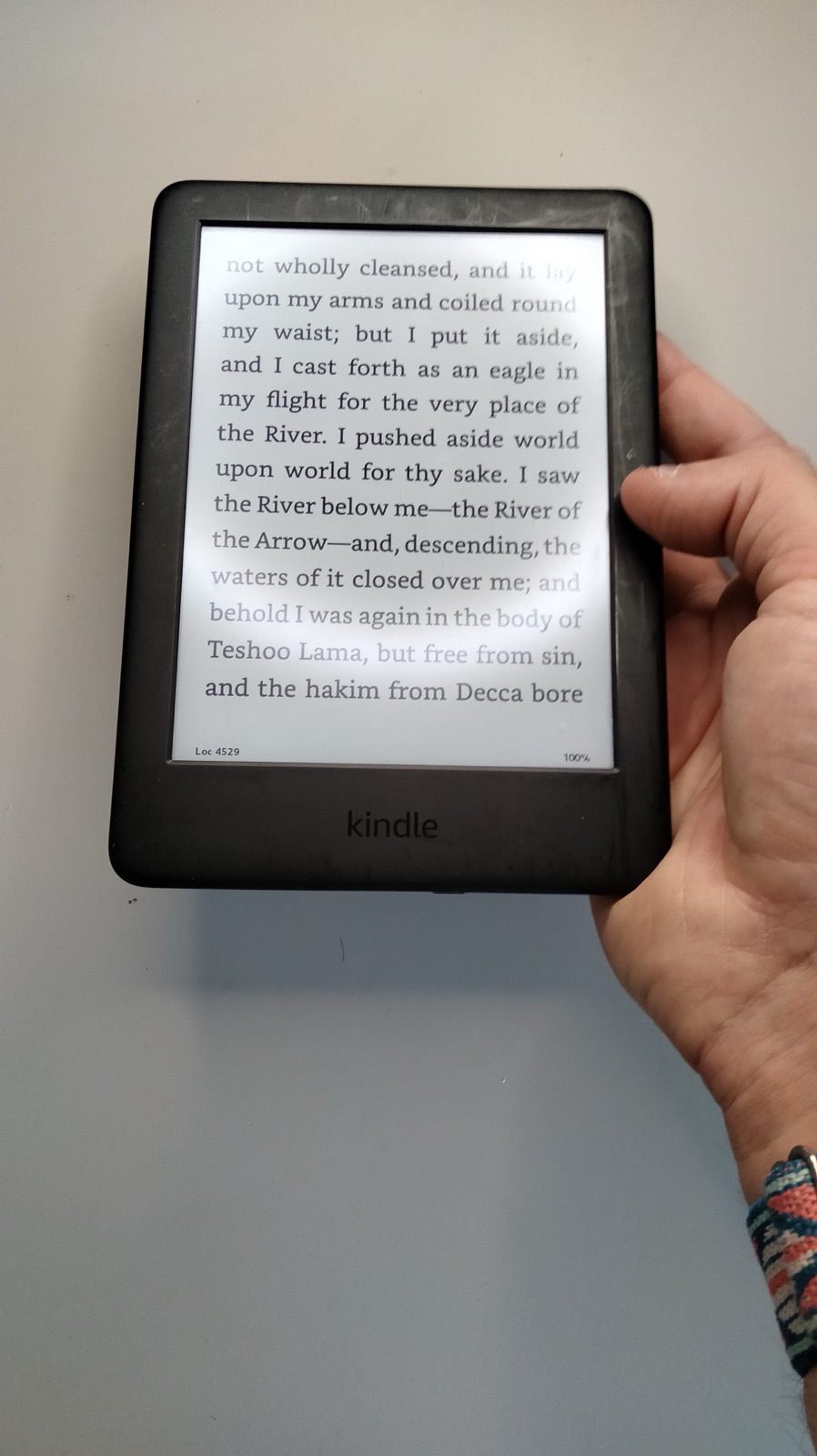
- The issue is that paging next with the regular Kindle is really, really AWKWARD and UNRELIABLE
Turning/flipping to the next page BREAKS MY READING FLOW because…
- I have to LIFT my thumb from its resting position 😒
- I have to MOVE my thumb above the screen 😞
- I have to PRESS my thumb HARD onto the screen 😔
Then ONLY HALF (50%) of presses don’t register 🔥🤬🔥
- So half the time I have to press again (WTF?) 🔥🔥🔥🔥🤬🔥🔥🔥🔥
- I have to LIFT my thumb again 😔
- I have to MOVE my thumb back to its resting position 😞
What I want
- I just want effortless and reliable page turns with my current Kindle
- Looking at the much higher-priced model, like the Oasis, there are physical buttons for navigation to the next and previous page but that costs north of 250€. 250€ for effortless page turns? 🤨
My ideal solution
- Ideally my current Kindle had ONE button for NEXT PAGE 🙂
- Ideally that button was located where my thumb naturally RESTS 😍
- Ideally that button took practically NO EFFORT to press 🤩
- Ideally that button was RELIABLE to trigger the page turn more than 80% of the time 😍
My current minimum viable solution
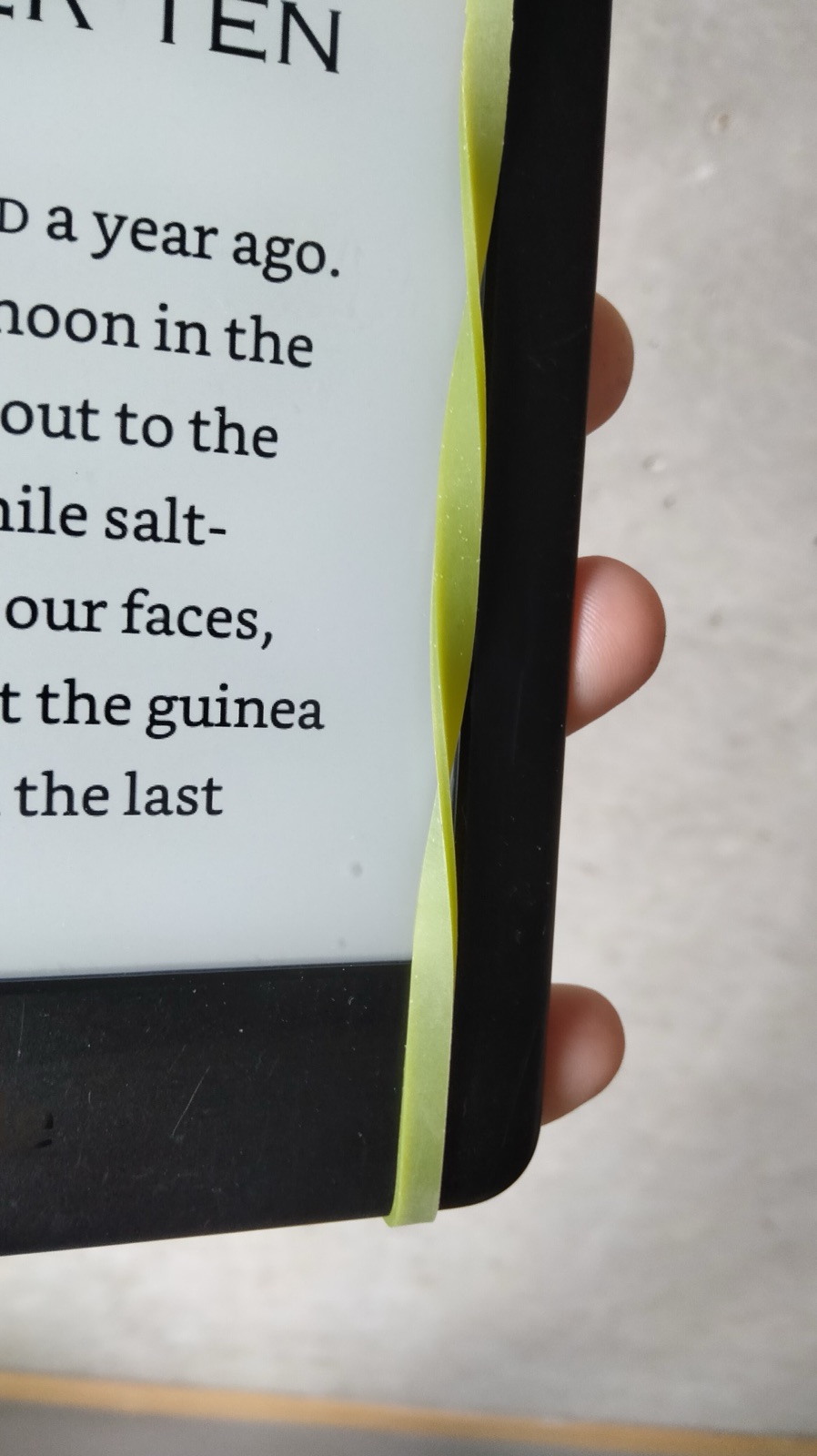
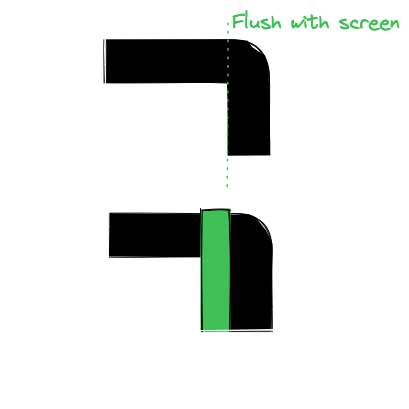
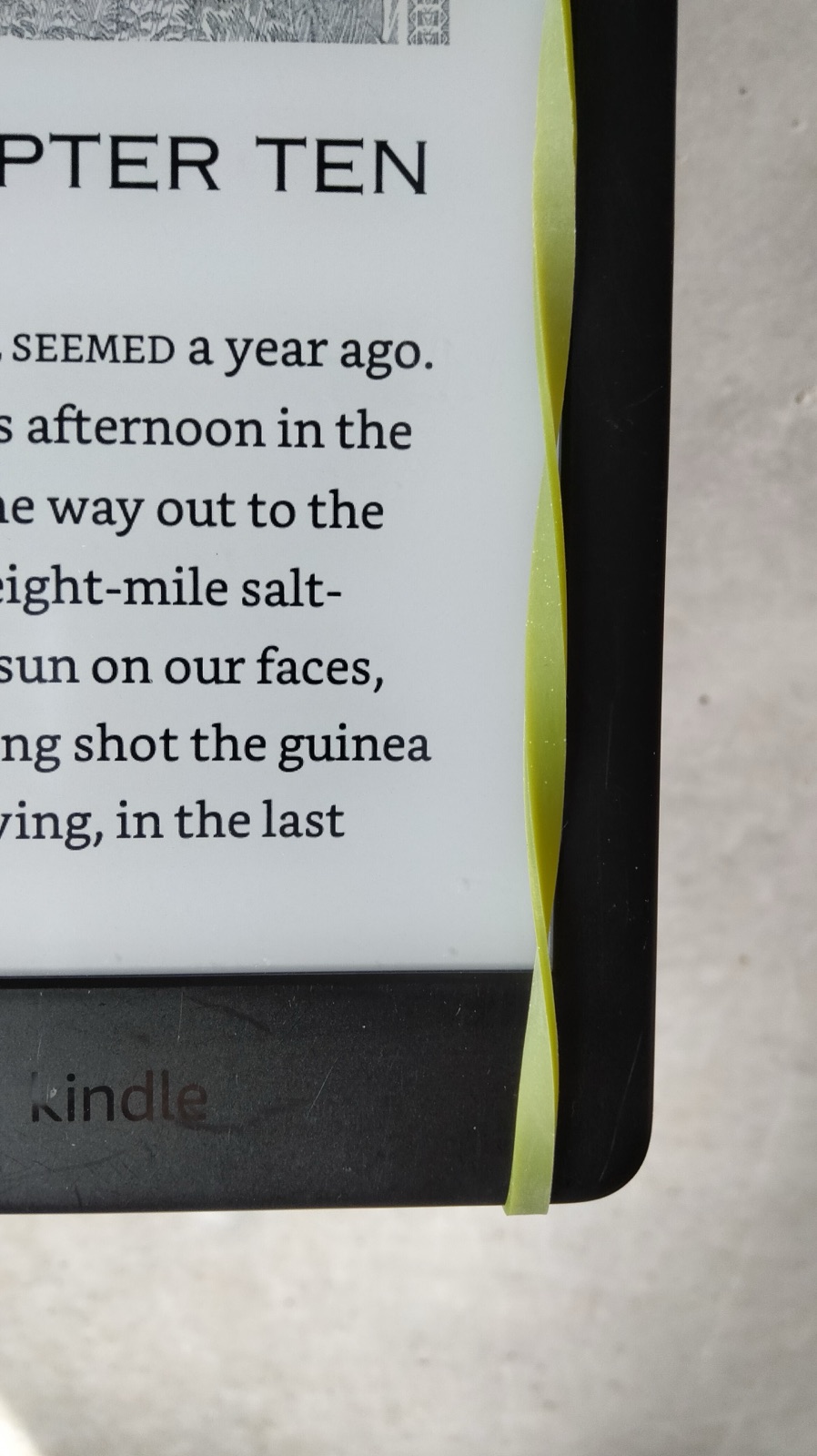
- A simple rubber band (4mm width)
- Placed perfectly flush to the outer border of screen
- With an intentional TWIST
Features
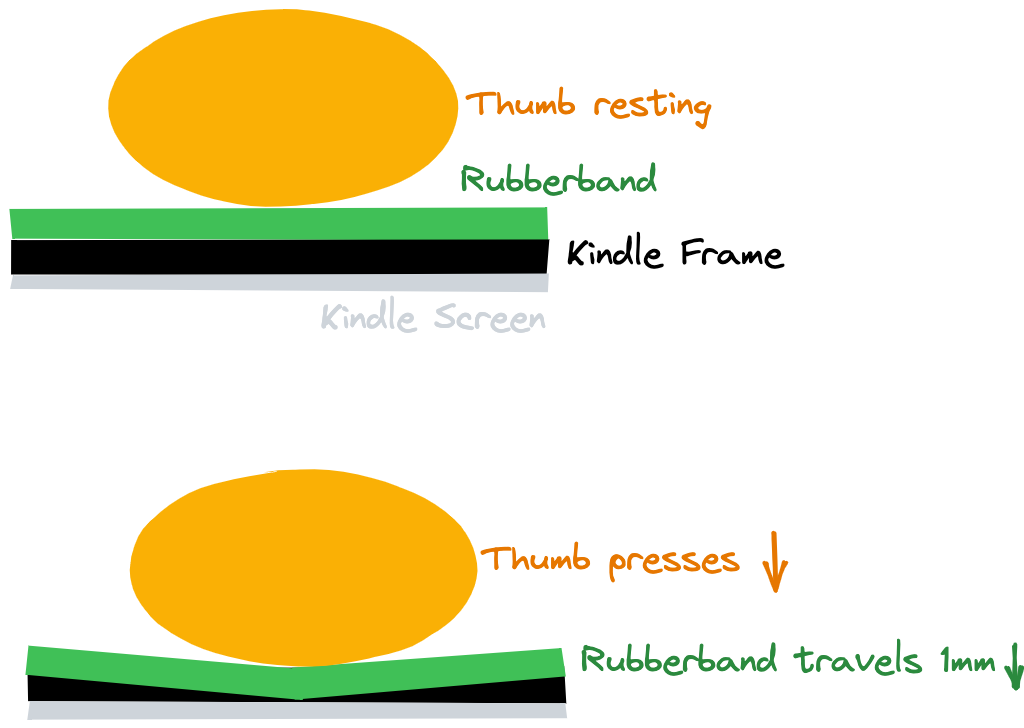
- Thumb can rest
Motion to trigger page turn is effortless
- Only 2mm horizontal motion
- No vertical motion required
The twist in the band is more reliable
- 90% of presses are registered
- The twist in the band makes it ‘clicky’, more tangible
Experiments – How I got here (The long story)
Resources
- My Kindle as the “test-bed”
- A collection of materials that seemed reasonable to use
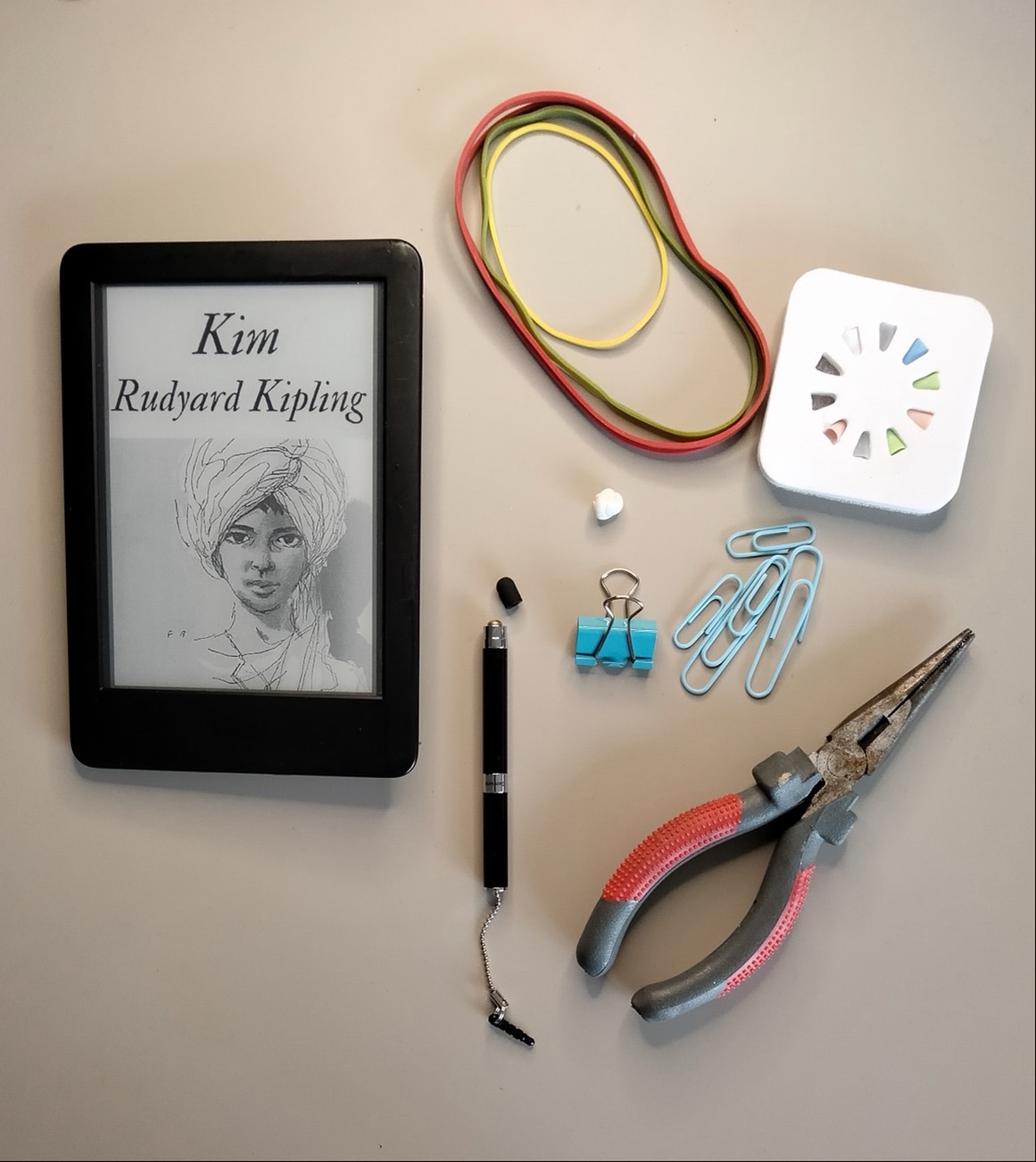
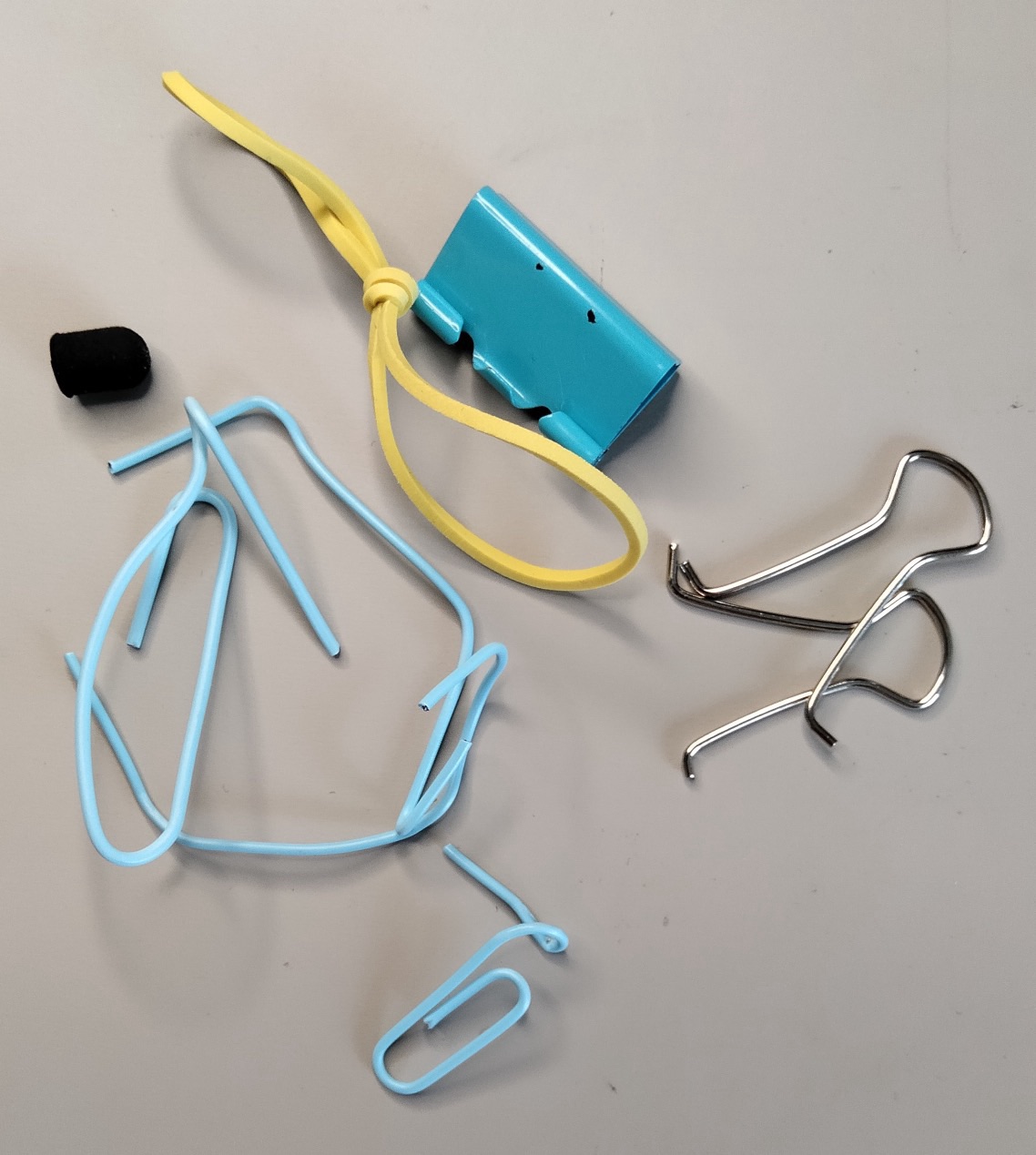
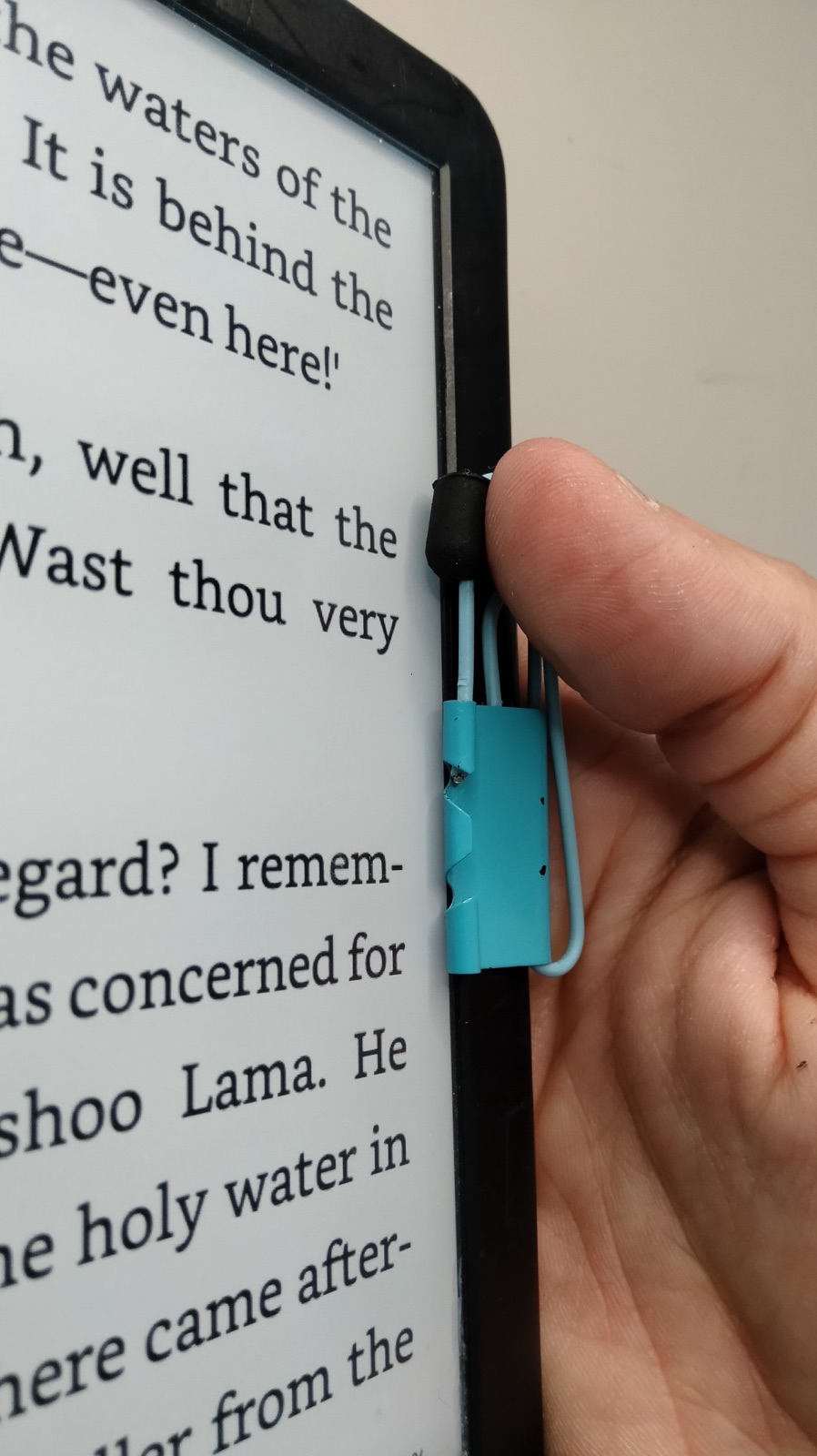
Iteration 1 – Using a clamp, paperclip and capacitative rubber nib
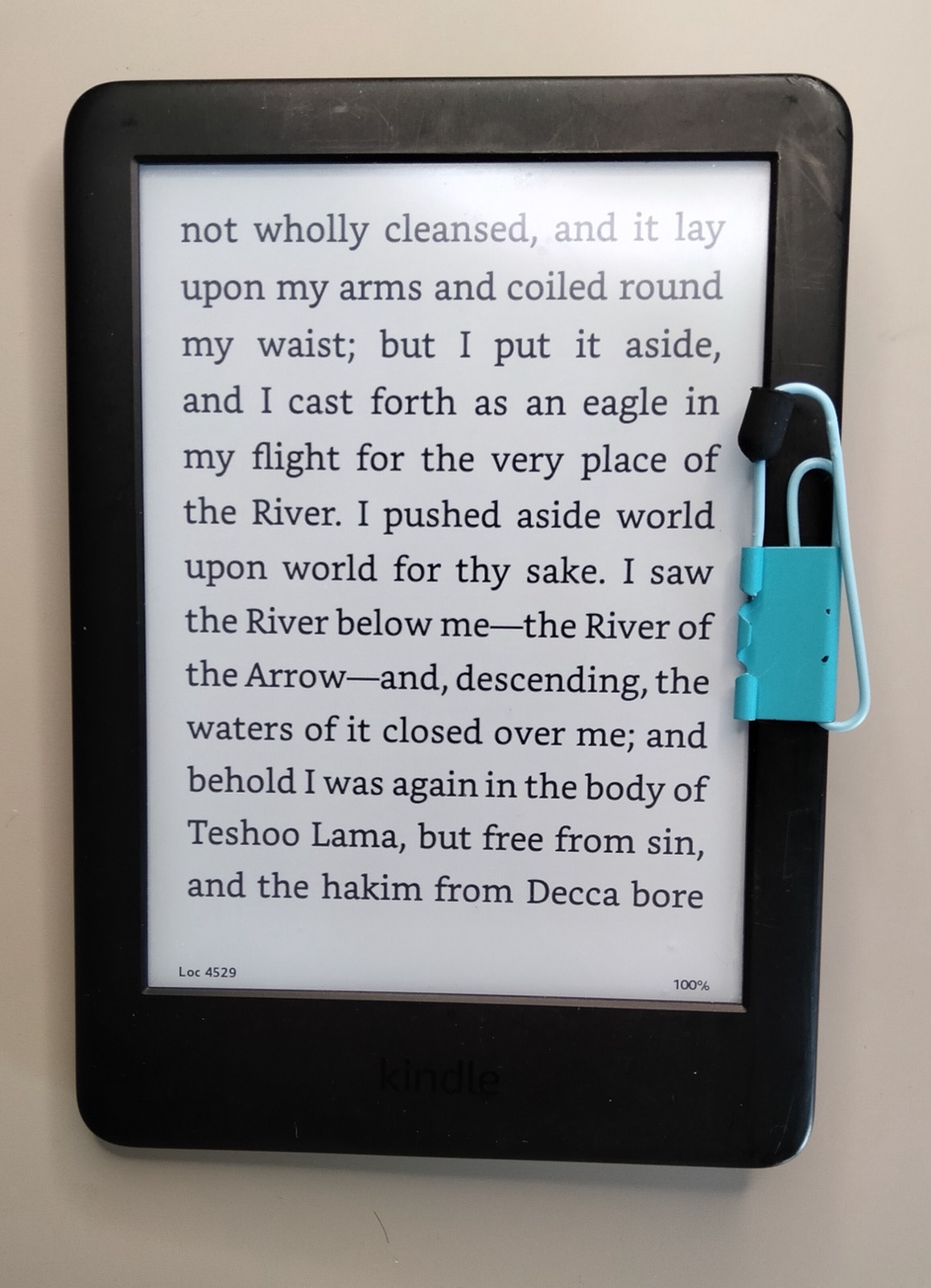
Riskiest Assumption
- Having a button device thingy makes the reading experience BETTER by increasing flow by decreasing friction while turning pages
Learnings
- No material except the rubber tip of the “tablet pen” triggered page-flip efficiently
- Overall using the nib as shown above, this worked really welle
- This worked far better than it looks
- The tension on the paperclip wire even made a clicking sound when pressed (Nice)
- Being able to REST my thumb is crucial to entering a state of reading flow
- Minimizing the EFFORT to turn the page is also crucial to entering a state of reading flow
Result
- I read a whole evening with it and enjoyed it
- Definitely BETTER THAN WITHOUT
- Less effort/friction during page-flips
- Increased reading flow
Questions
- Q: What kind of rubber are on those pen tips?
- A: “Conductive elastomer”[^1]
Decision
- Persevere/Keep with the overall “pageturner” idea
- Pivot/Change on attachment and mechanics
Idea 2 – Using a rubber band for attaching the capacitative nib
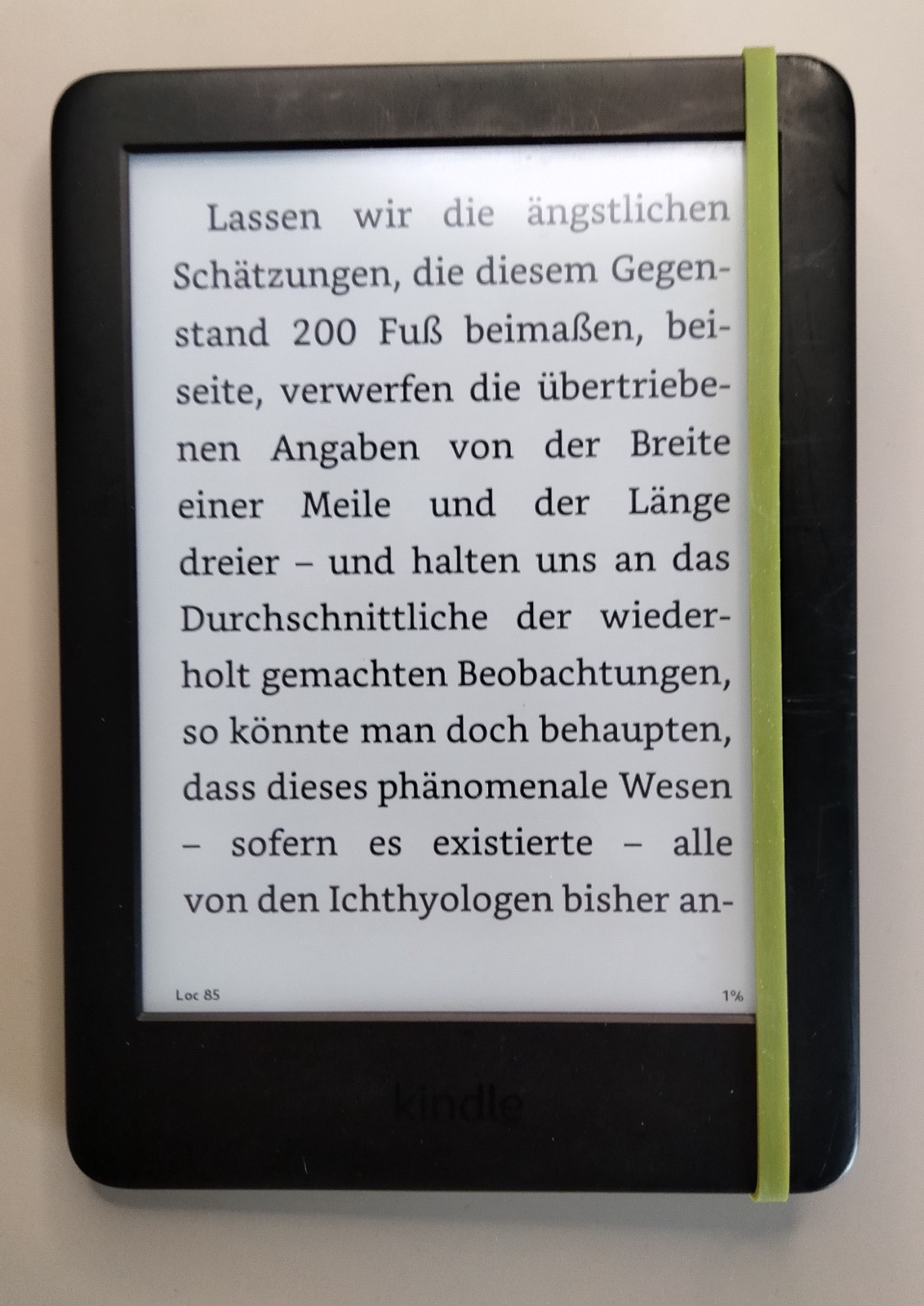
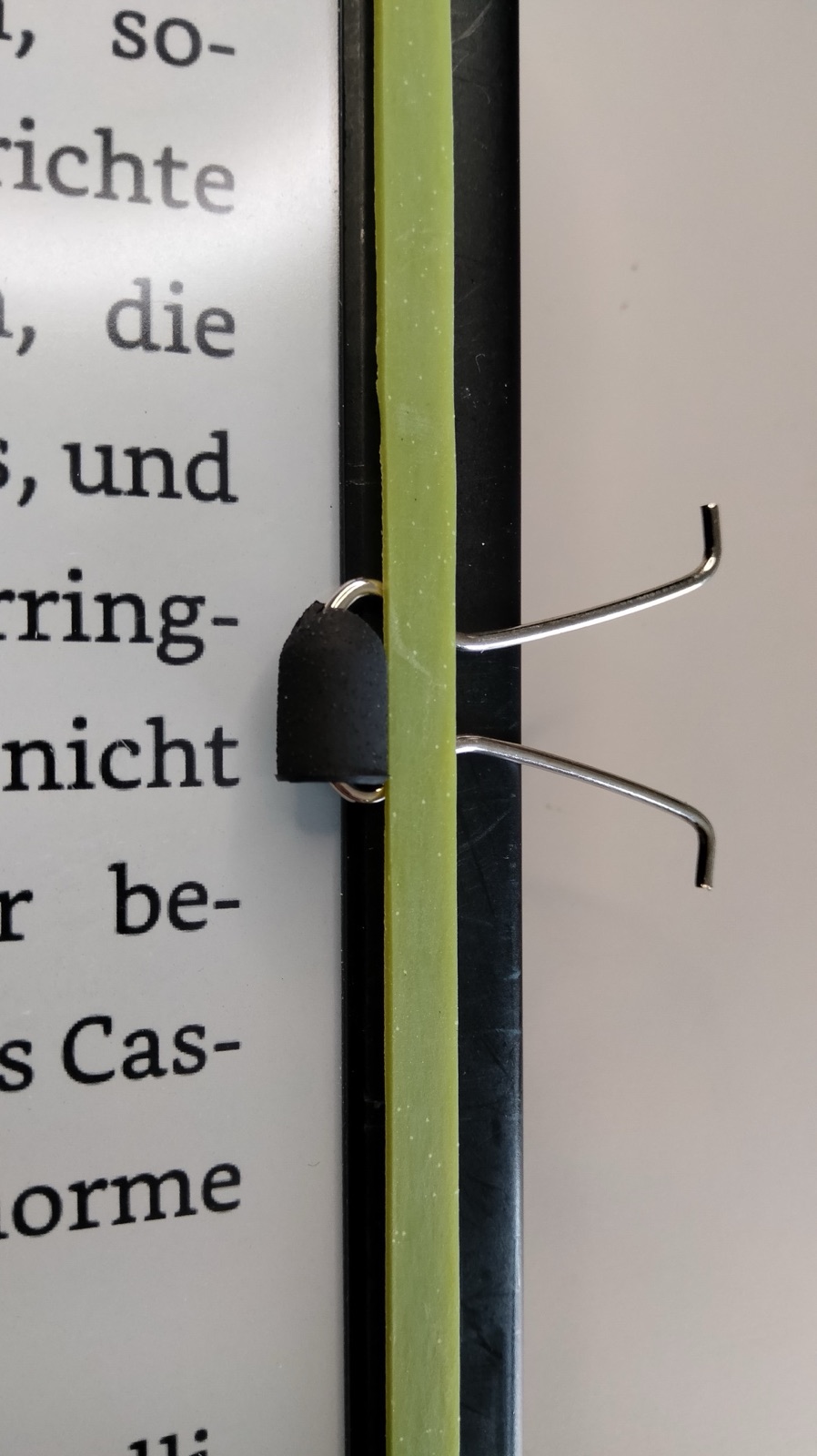
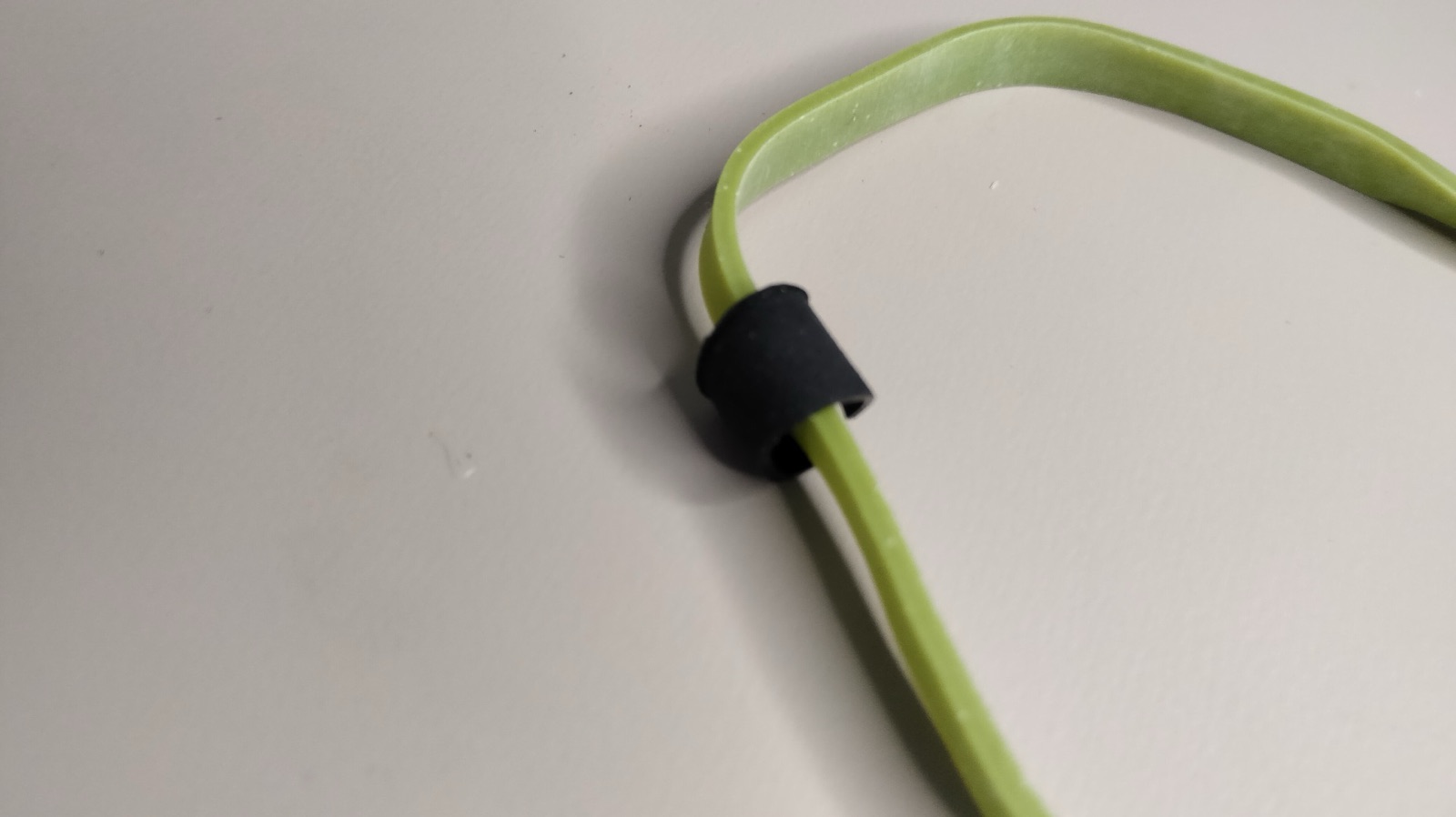
- Couldn’t find a good way to attach the cut-up nib to the rubber band
- Overall, this approach further reduced the effort to press
Learnings, Result, Questions, and Decision
- Rubber band much easier to attach
- Doesn’t SCRATCH the surface
- Even less effort to turn page
- What if the capacitative nib isn’t even needed?
- Perservere/Keep rubber band
- Pivot/Change trigger nib
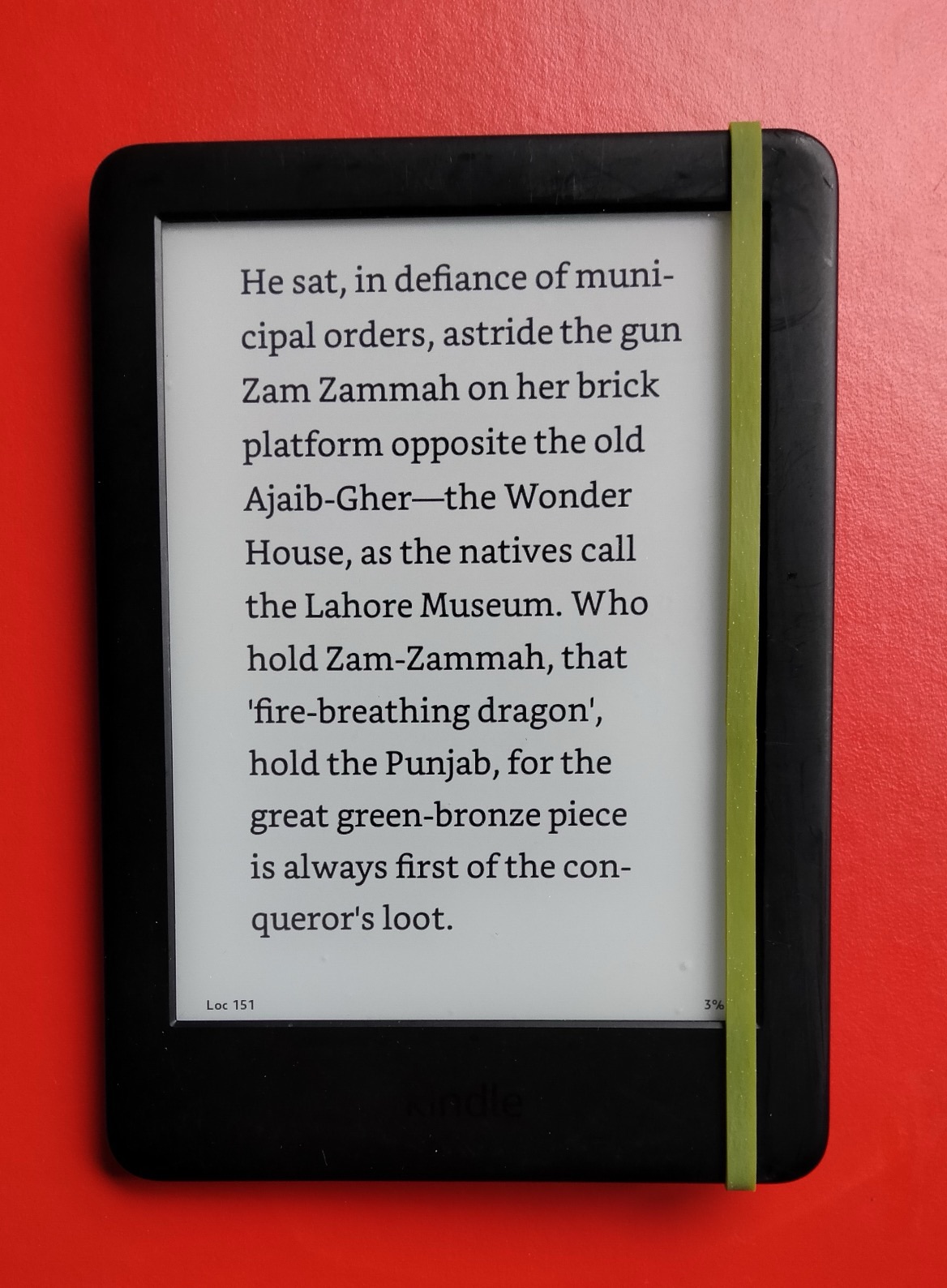
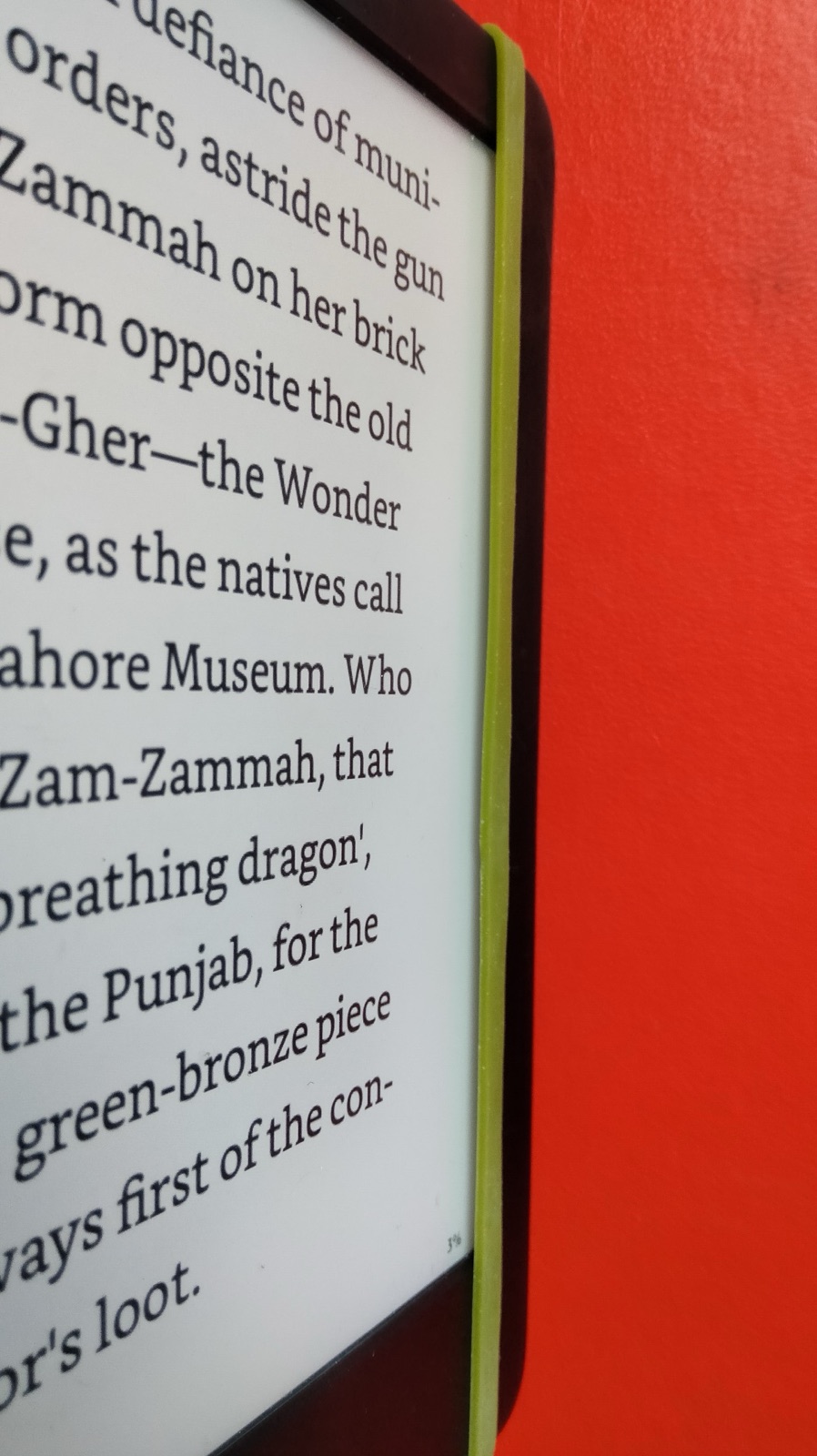
Iteration 3 – Using the rubber band straight-up without extra nib
Riskiest Assumption
- Using the rubber band directly has enough effective capacity to trigger page-flips
Method
Learnings
- When stretched along the device, there is the perfect gap between rubber and screen
- It’s slightly harder to rest thumb because it’s right above the screen (To avoid accidental flips)
Result
- Regular rubber CAN effectively trigger page-flip (at 70% reliability)
Decision
- Persevere/Keep: Single rubber band
- Pivot/Change: Improve trigger efficiency towards 80-100%
Iteration 4 – Adding a TWIST for efficiency
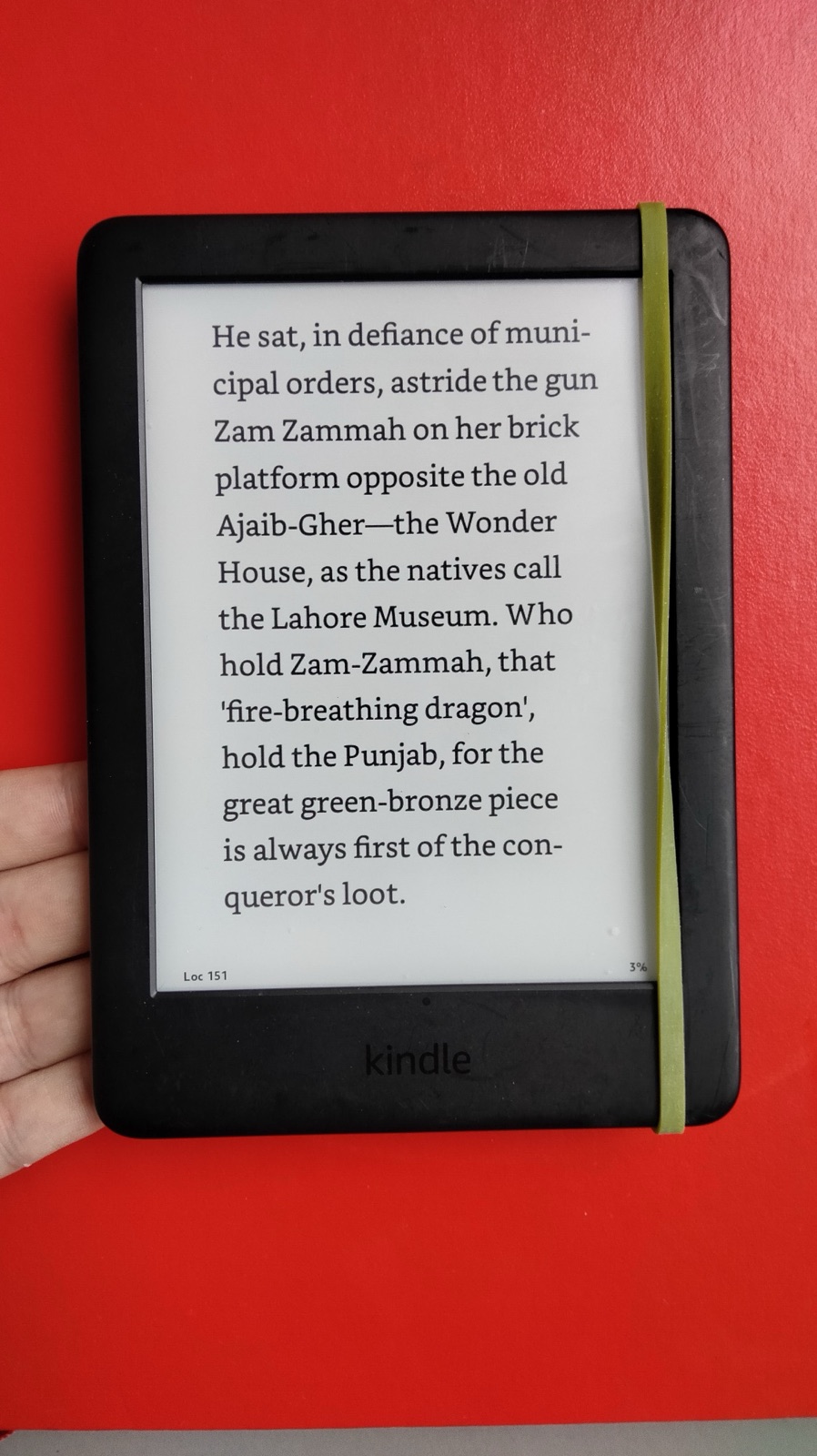
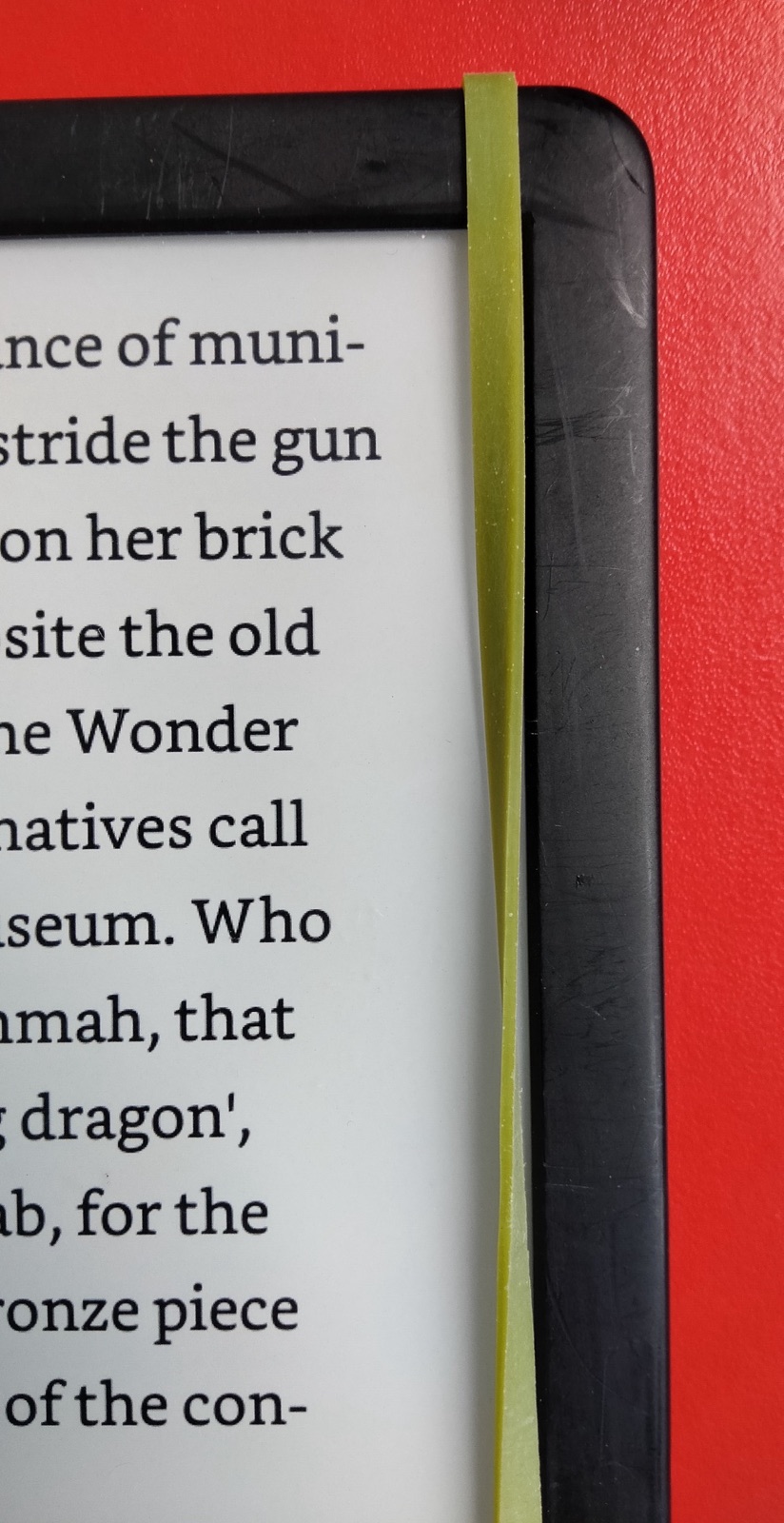
Riskiest Assumption
- Adding a TWIST to the rubber band increases the RELIABILITY
Method
- Add the TWIST and sample 20+ page turns in a realistic setting
Result
- 85% Efficiency – 17/20 presses triggered a page-turn
Decision
- Persevere/Keep: Twist
- Pivot/Change: Increase efficiency/reliability further
Learnings
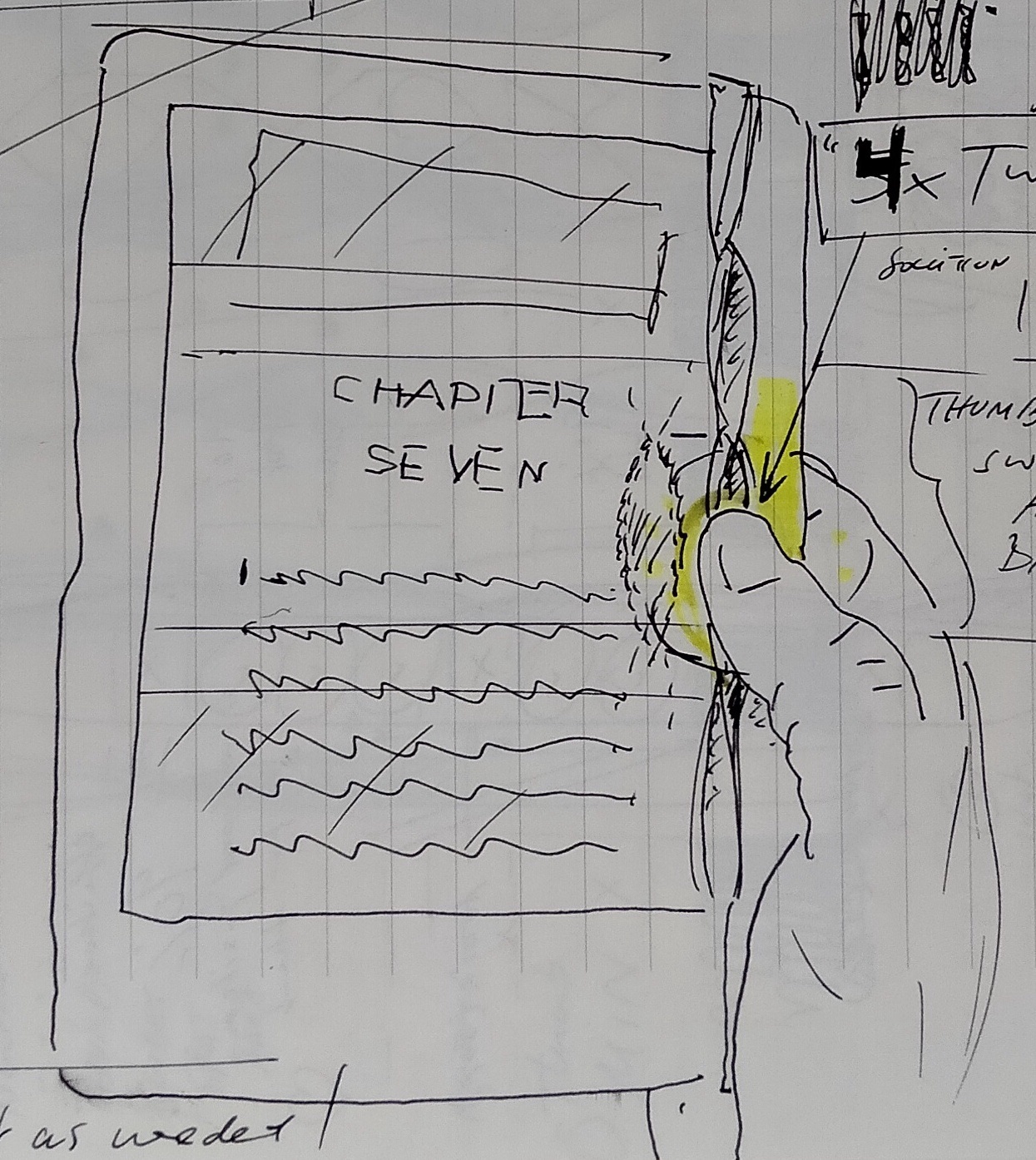
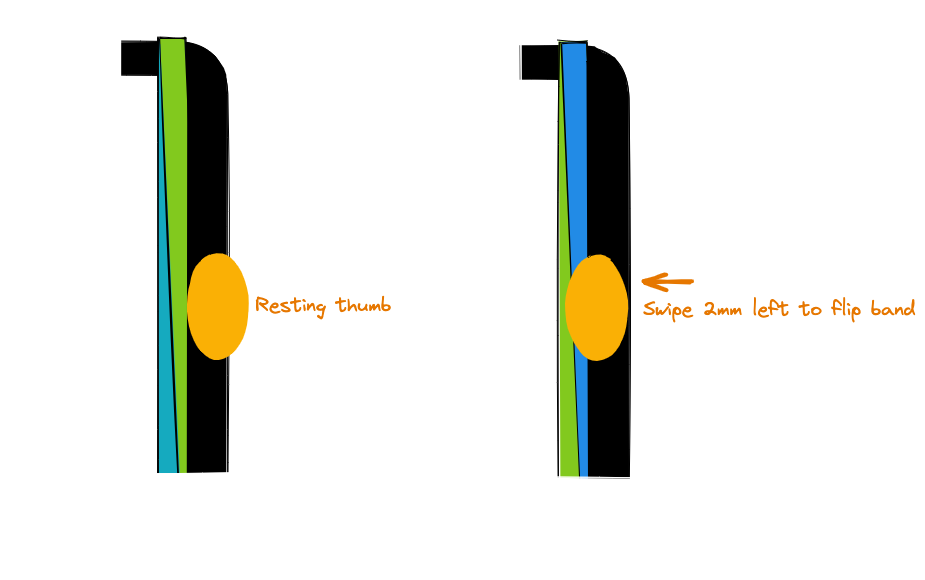
- This allows to rest the thumb on the side while needing minimal effort to “toggle” the TWIST
- Toggling the TWIST creates a pleasing haptic ‘clicking’ sensation similar to a button
- The thumb-motion is not a top-down press anymore but a left-right swipe (Takes some time to get used to)
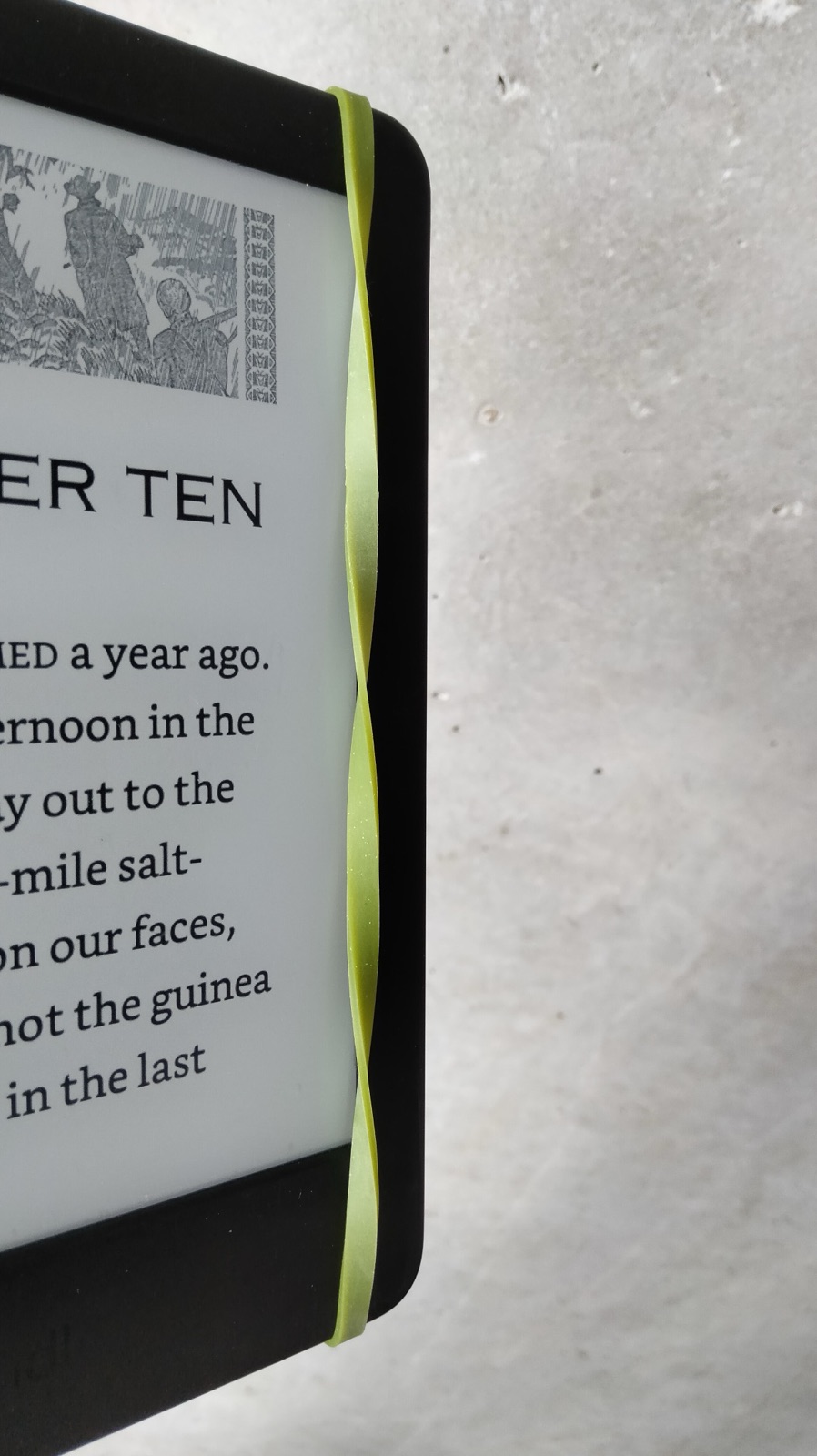
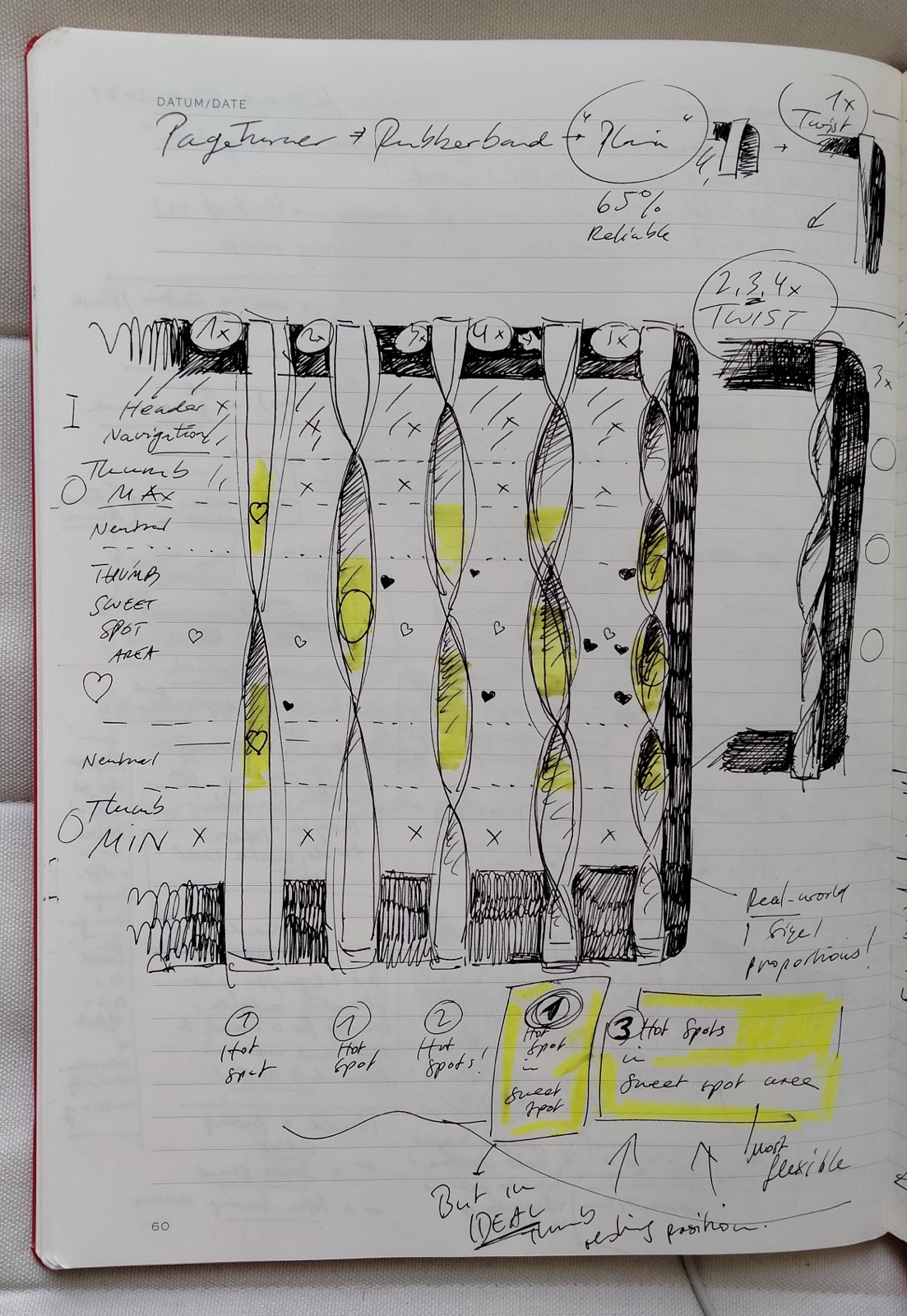
Iteration 5 – Experimenting with different TWISTS (1,2,3,4,5)
Riskiest Assumption
- There is a way to twist the rubber band that increases RELIABILITY to 90% and improves on handling
Method
- Try different levels of twist and see if that creates a better “UI” for my thumb
Learnings
Three Distinct Variables Affect Reliability
- Playing with the different twists helped me realize that there are really 3 important variables that, taken together, effect how effortless and reliable the page is turned.
- When these three variables are in harmony so to speak, I’ve achieved 90+% reliablity of page turn registered while reading today
- They’re all very personal and depend on how you like to hold your Kindle, how big your hands are and how small the individual “twist-segments” are on the band.
- Hence, there is no one-size-fits-all version of twists that work for everyone.
Reliability (%) = "Thumb Resting Sweet Spot" + "Thumb Size" + "Twist Segment Hot Spot Size"
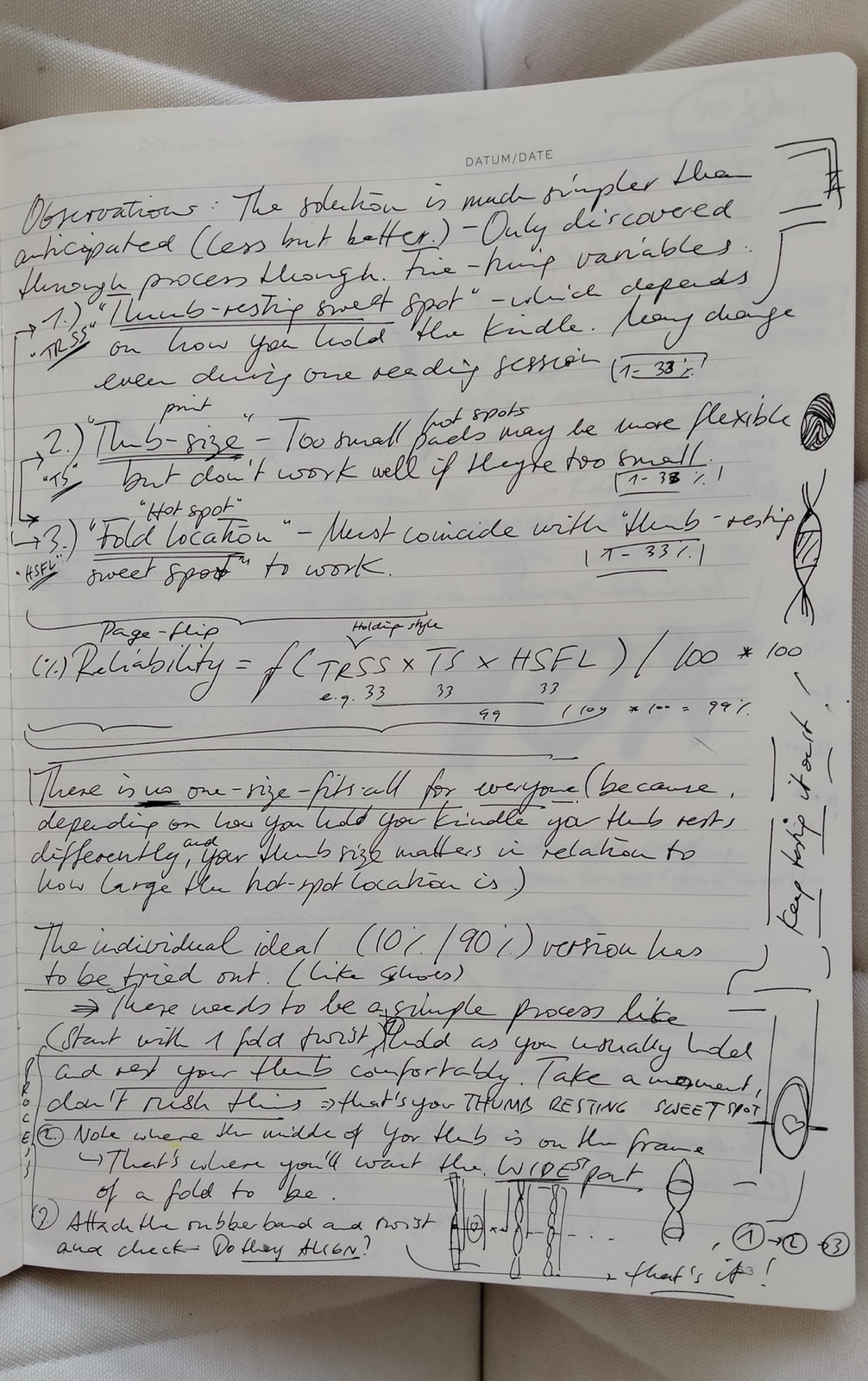
Variable 1: “Thumb Resting Sweet Spot” (50%)
This is where you place your thumb most of the time and relax it inbetween page turns. In terms of importance, to me, everything else in terms of usability derives from this. In my case, it’s in the upper-half of the lowest third of the sidebar because of how I hold the Kindle.

Variable 2: “Thumb Size” (25%)
This of course heavily depends on your individual thumb. Its size is in direct relation to how many twists your band can have. Once there are too many twists (max 5 for me), the segments become too small.
Variable 3: “Twist Segment Hot Spot Size” (25%)
This is how much vertical space each twist segment provides to register the touch/swipe motion. With each twist, the segments get smaller. For me 5 twists were the maximum. I learned that only the the flat middle-part works reliably when pressed.
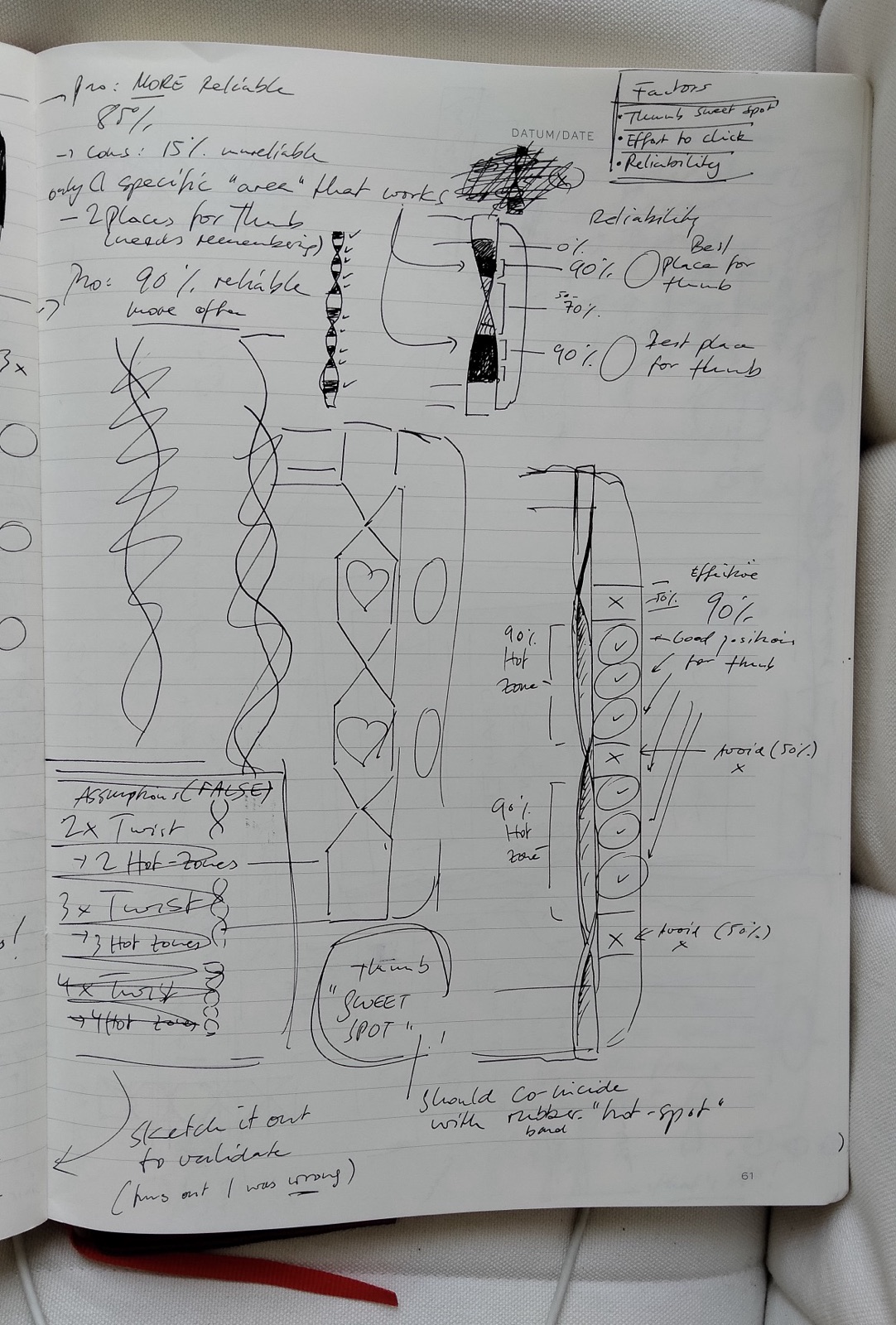
Result
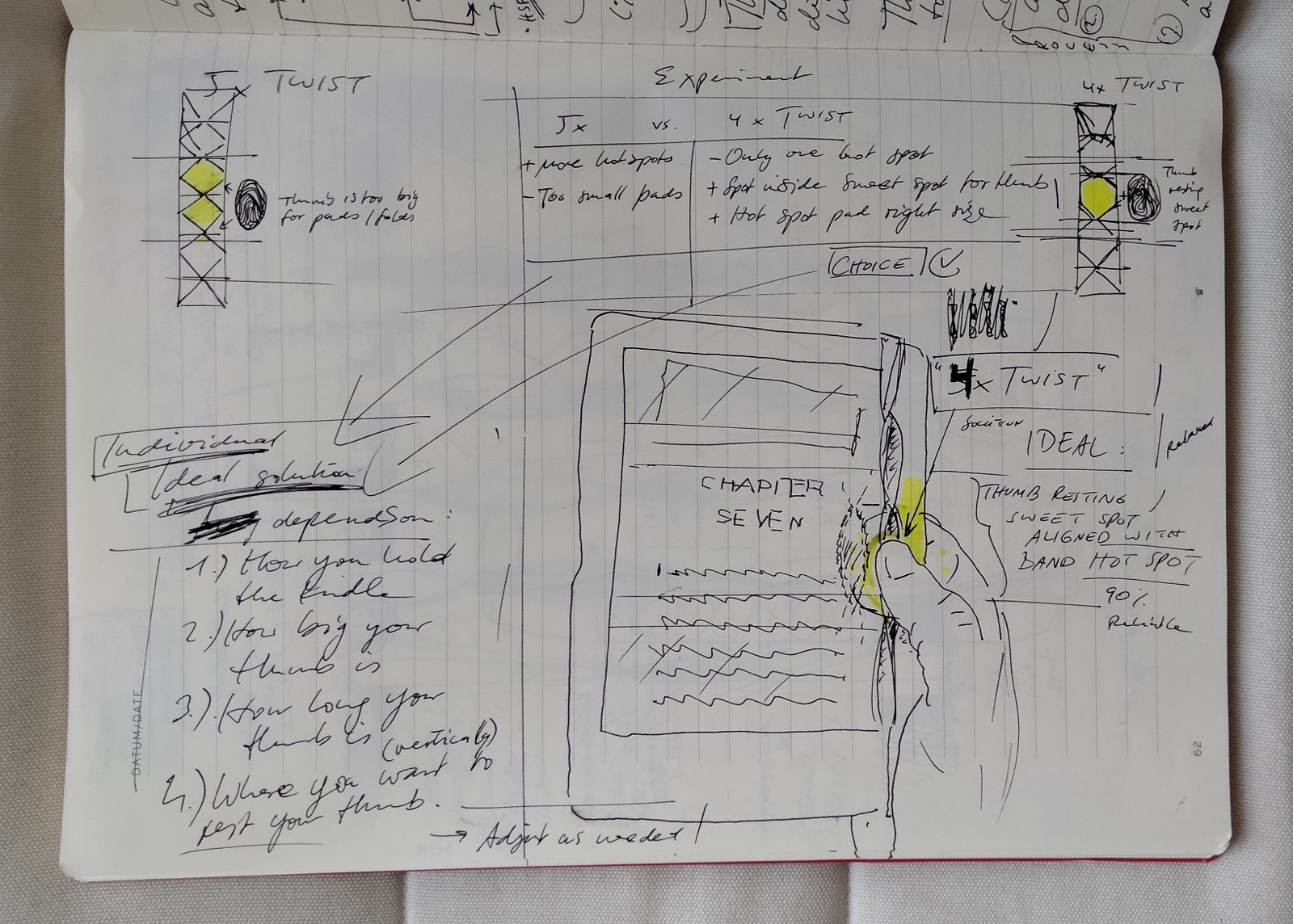
I have achieved 90+% RELIABLE PAGE TURNS once I harmonized my personal…
- “Thumb Resting Sweet Spot” -> Upper half of the bottom third
- “Thumb Size” -> Small
- “Twist Segment Hot Spot Size” -> 4 Twists, 3 Segments at ~4cm each
Decision
- Persevere/Keep: 4 Twists
- Pivot/Change: Nothing, keep things as-is. I think this venture-hack has reached more than 90% reliability.
[^1]: https://en.wikipedia.org/wiki/Conductive_elastomer, https://www.amazon.de/-/en/MobiLinyi-pieces-replacement-premium-stylus-6-mm/dp/B0797Y7M24/