Alexis Rondeau

Newsfeed

Everything I publish, in the order I published it: dispatches from Twitter, videos from YouTube and notes from my vault, archived here in full — text, images, video and links — so they outlive the platforms.

921 dispatches since January 2012 · page 29 of 37

LangChainInABox

A native macOS app for playing with LangChain that ships with a self-contained, embedded, Apple-notarisable Python 3.11 and up-to-date LangChain libraries

2 stars · Python

v1.1

Hi there, Alexis here!

I love making 👏🏻 things 👏🏻 that 👏🏻 do 👏🏻 things 👏🏻.

This project is a ‘batteries-included’ macOS UI for LangChain. It ships with a self-contained, embedded, Apple-notarisable Python 3.11 and LangChain libraries. It also includes documentation on how to update langchain dependencies over time.

Why? Access to LangChain should be easy for those who want to change the world.

I saw my girlfriend fully embrace GPT-4 via an app I built for her. Even though it’s “just a UI to GPT-4”, it comes batteries-included. This allowed her to fully focus only on her projects and not the technology.

The hard, and tedious, part - like installing brew, getting the right Python version, creating the right venv, updating langchain, choosing and learning an IDE - should not a barrier to entry for her.

UI Evolution

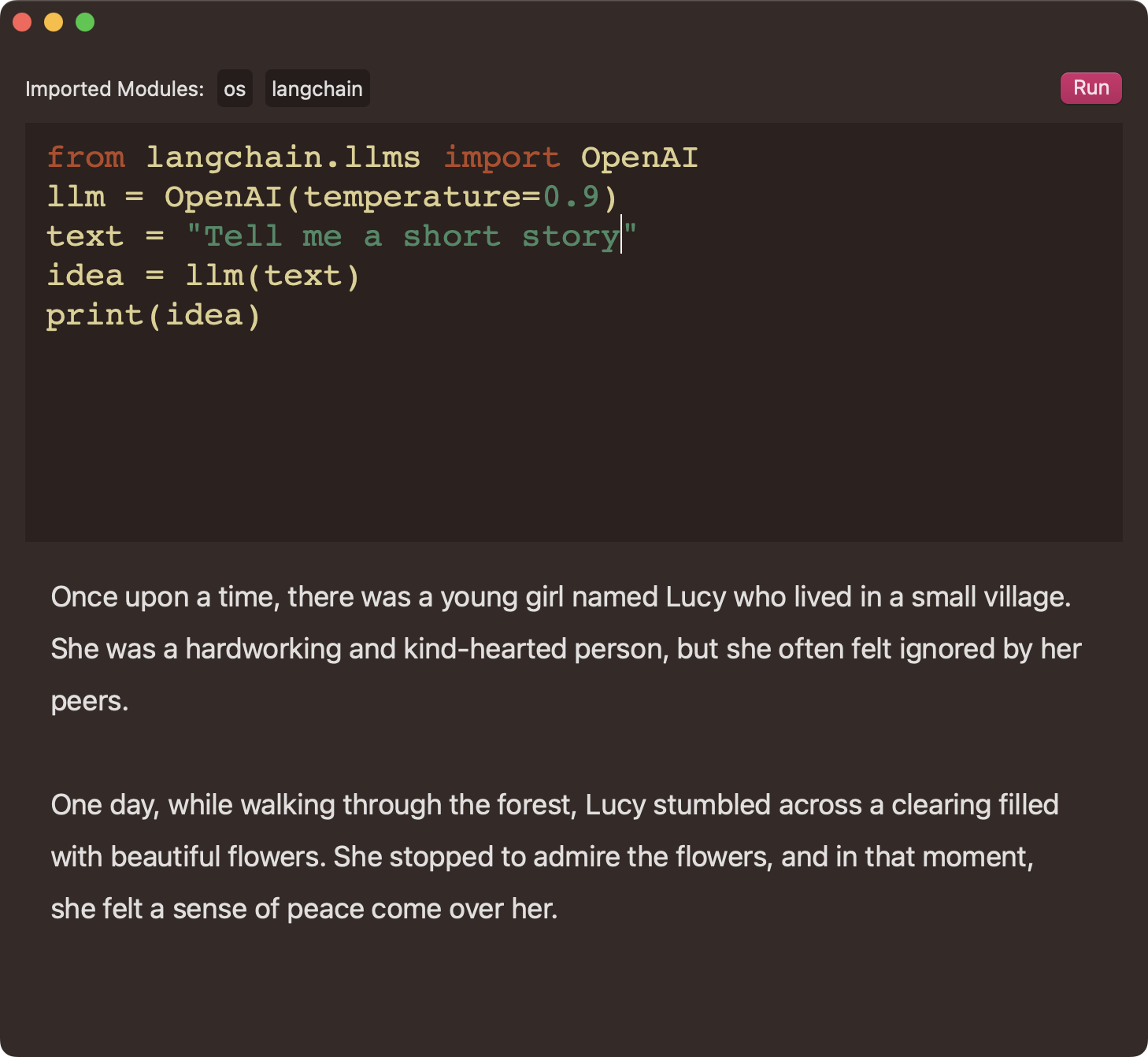
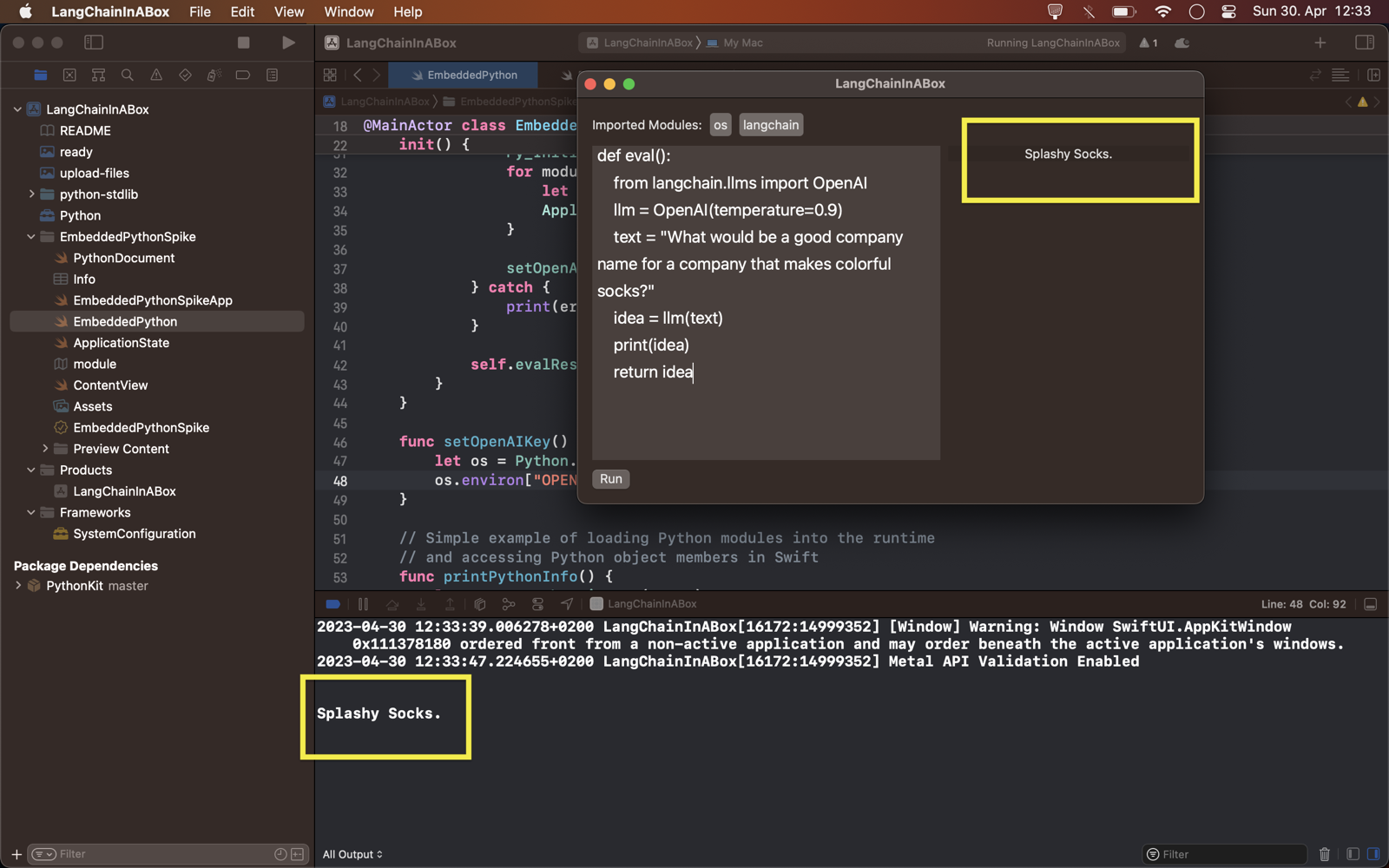
Here you can see the small user-facing increments.

The first (working) UI!

v1.1

Got LangChain wired up!

First Success

Development Notes

To build with XCode, please create APIConfig.xcconfig under $ROOT/EmbeddedPythonSpike/Backend with this content

$ cd $PROJECT_ROOT
$ touch ./EmbeddedPythonSpike/Backend/APIConfig.xcconfig
$ echo "OPENAI_API_KEY = your-api-key" > ./EmbeddedPythonSpike/Backend/APIConfig.xcconfig

How to update LangChain and its dependencies

See the documentation for details (Not shown in XCode, use Terminal)

Distributing the App

This project is based on my template for embedding Python in a signed macOS app, which itself stands on the shoulders of these giants: Eldar Eliav, Eddie Espinal, and this person

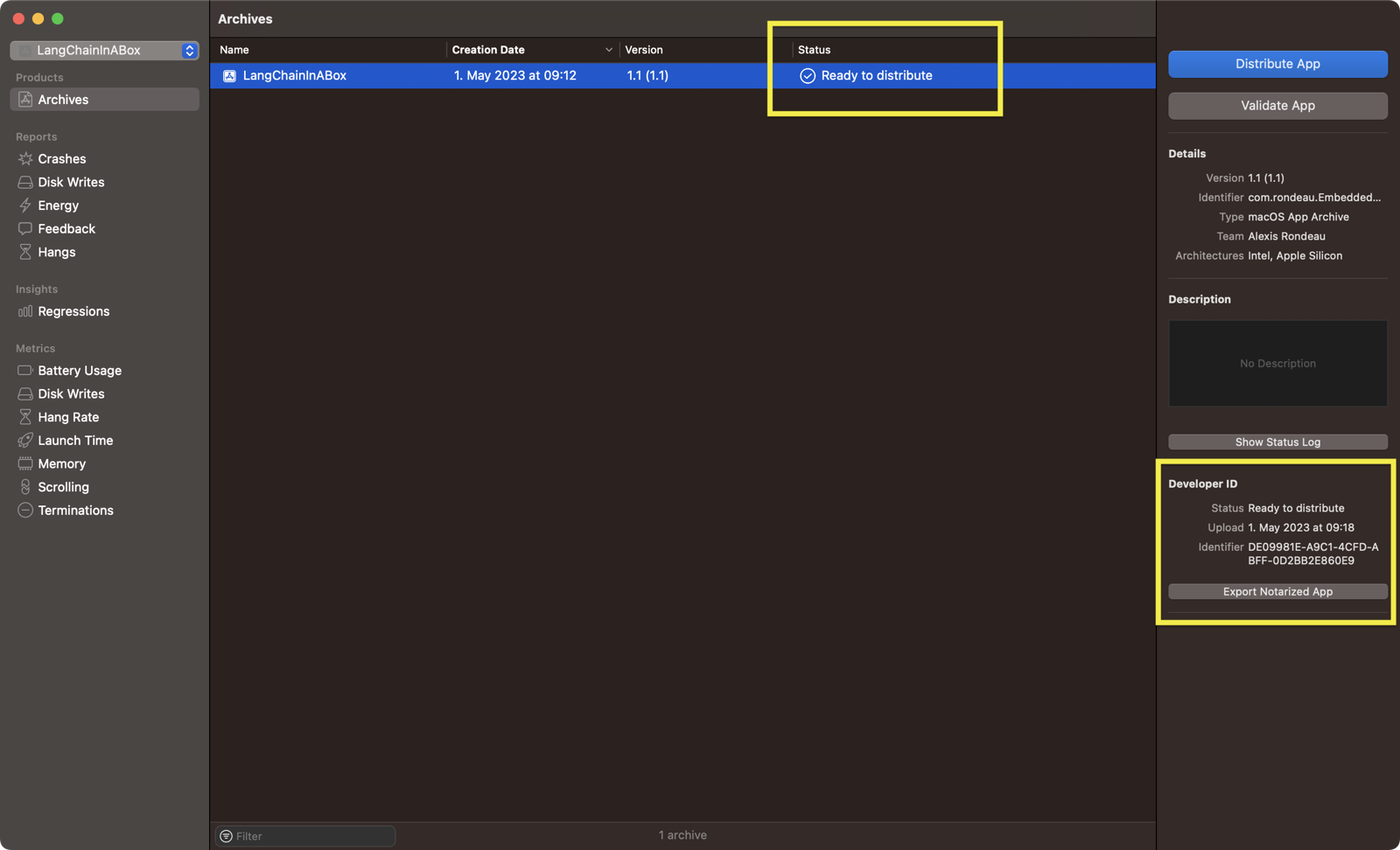
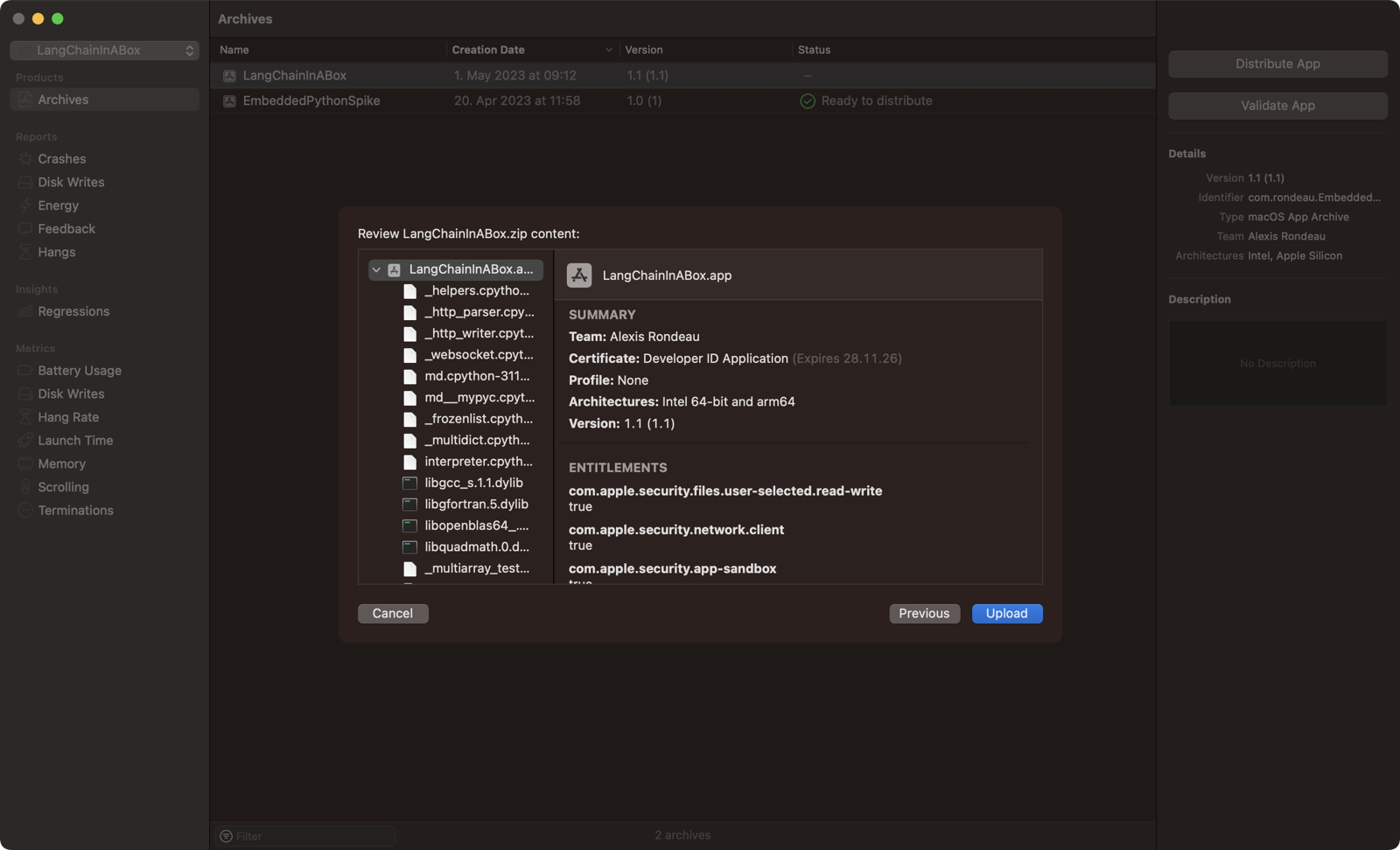
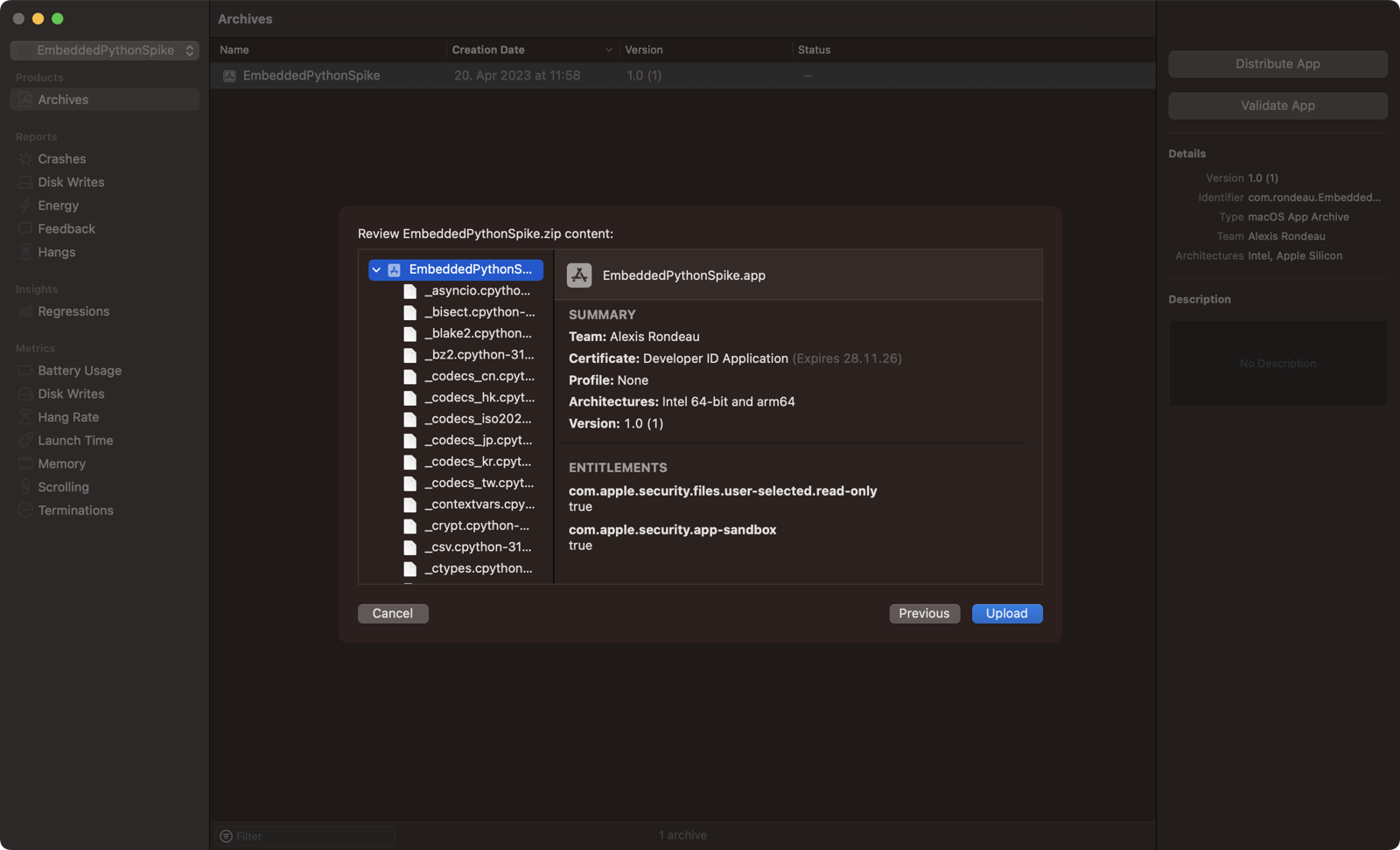
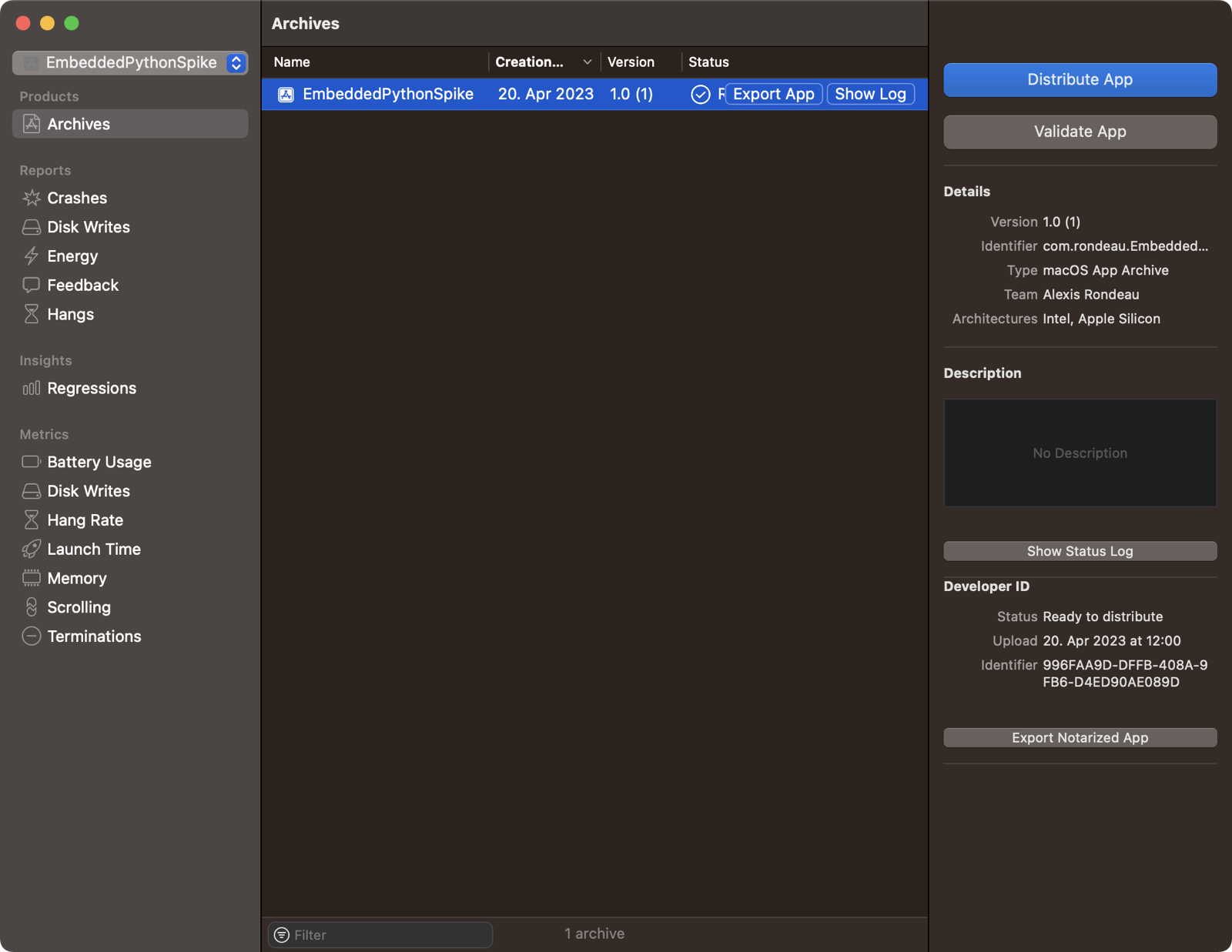
So far, I’ve successfully uploaded and got the bundle signed with my Developer ID.

Notarized with Developer ID Upload and Sign

60 views
In reply to @aashmngo · Apr 18, 2023

@upcycledwords very cool! might be fun to disallow backspace. this would truly make it a 'stream' of consciousness

@aashmngo @upcycledwords Agreed! No backspace and no return-key changes the experience a lot. It has helped me learn to love mistakes and not worry about typing accuracy at all. -@upcycledwords!–My typos make little fluffy clouds now. Feel free to give it a spin: getstreamline.app is open-source!

1 reply · 1 like · 24 views
In reply to @kepano · Apr 19, 2023

made a little @obsdmd plugin last night for stream of consciousness writing — it's so calming to write this way

credit to @upcycledwords who shared this idea t.co/eVUpzcDtEv

@kepano @obsdmd @upcycledwords Nice one! I wound up building a stream-of-consciousness app for my Obsidian (getstreamline.app) because my version of a plugin still distracted me. Will try yours!

EmbeddedPythonAppTemplate

A personal template project for a Apple-notarizable macOS app

1 fork · Python

Template for embedding Python in a signed macOS app

set -e

echo "Signing contents of $CODESIGNING_FOLDER_PATH/Contents/Resources/python-stdlib/lib-dynload as $EXPANDED_CODE_SIGN_IDENTITY_NAME ($EXPANDED_CODE_SIGN_IDENTITY)"

cd "$CODESIGNING_FOLDER_PATH/Contents/Resources/python-stdlib/lib-dynload"

/usr/bin/codesign --force --sign "$EXPANDED_CODE_SIGN_IDENTITY" --options runtime --timestamp=none --preserve-metadata=identifier,entitlements,flags --generate-entitlement-der *.so

Successful Test Output

Python Version: 3.11
Python Encoding: UTF-8
Python Path: ['/Users/$HOME/Library/Developer/Xcode/DerivedData/EmbeddedPythonSpike-ehqmlmwnoppyokdrvctjjjowcsrq/Build/Products/Debug/EmbeddedPythonSpike.app/Contents/Resources/python-stdlib', '/Users/$HOME/Library/Developer/Xcode/DerivedData/EmbeddedPythonSpike-ehqmlmwnoppyokdrvctjjjowcsrq/Build/Products/Debug/EmbeddedPythonSpike.app/Contents/Resources/python-stdlib/lib-dynload', '/Users/$HOME/Library/Developer/Xcode/DerivedData/EmbeddedPythonSpike-ehqmlmwnoppyokdrvctjjjowcsrq/Build/Products/Debug/EmbeddedPythonSpike.app/Contents/Resources/python-stdlib/lib/python311.zip', '/Users/$HOME/Library/Developer/Xcode/DerivedData/EmbeddedPythonSpike-ehqmlmwnoppyokdrvctjjjowcsrq/Build/Products/Debug/EmbeddedPythonSpike.app/Contents/Resources/python-stdlib/lib/python3.11', '/Users/$HOME/Library/Developer/Xcode/DerivedData/EmbeddedPythonSpike-ehqmlmwnoppyokdrvctjjjowcsrq/Build/Products/Debug/EmbeddedPythonSpike.app/Contents/Resources/python-stdlib/lib/python3.11/lib-dynload']

Archiving and Notarization

  • Product > Archive > Distribute App > ‘Distribute as developer’
  • Signing files (takes about a minute)
  • Upload to Apple
  • Waiting…
  • Ready to distribute!

Upload

Ready

getjamgpt

A free, instant & bespoke ChatGPT app for macOS

5 stars · HTML

GetJamGPT

Download latest at https://jamgpt.app

Publishing updates and releases

Use ./publish.sh

Requirements

  • appdmg: npm install appdmg
  • scout: brew install ABridoux/formulae/scout
  • generate_appcast: $SPARKLE/bin/generate_appcast from https://sparkle-project.org/

Generate folder with icons (Icon.iconset) with the macOS app

$ iconutil -c icns ./Icon.iconset

JamGPT

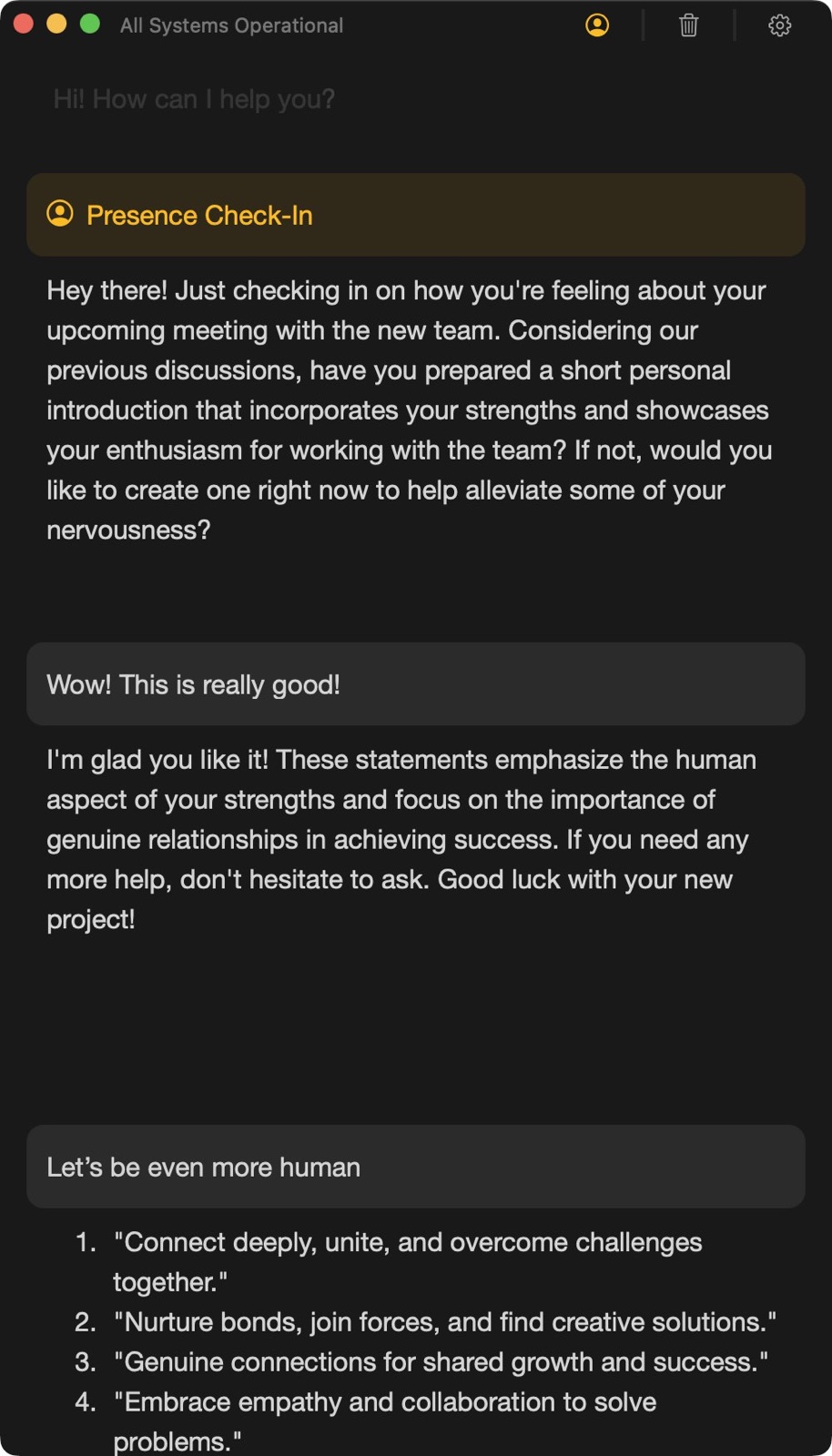
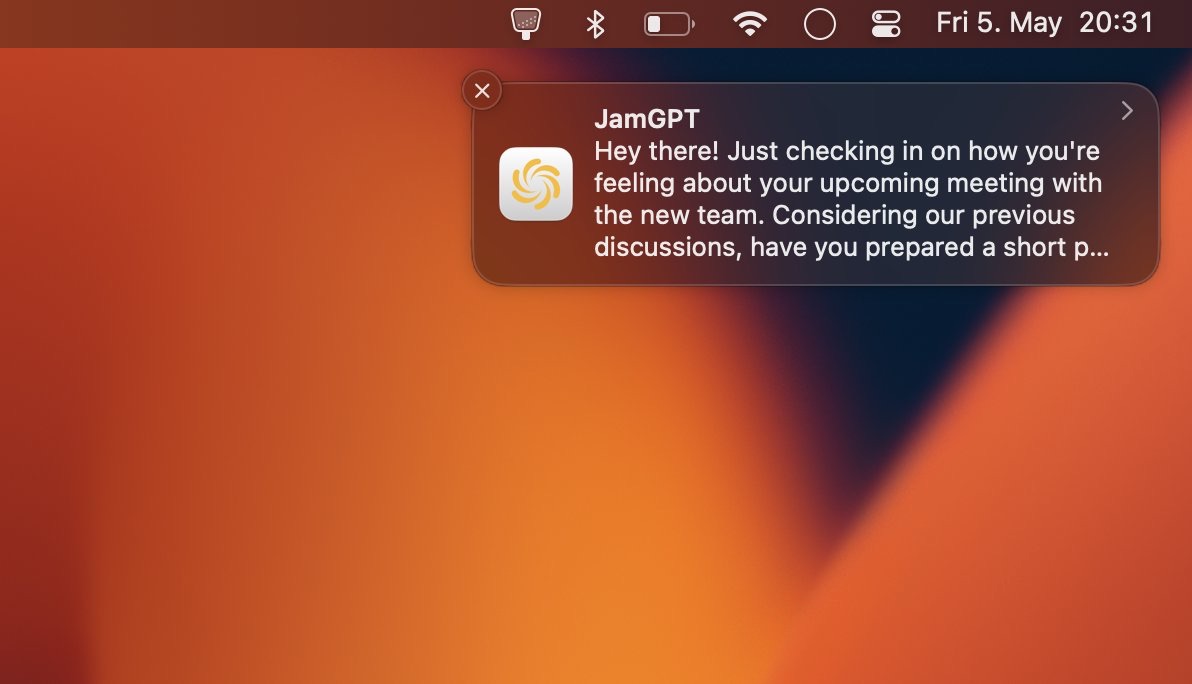
JamGPT gets you to ChatGPT the instant you need it — one keystroke from whatever app you’re in, with no tab-hunting or logging back in. I kept my go-to prompts a click away for the things I do over and over, like translating or tightening up a sentence. It’s free to use, and ready the moment you download it.

Open →

getstreamline

Streamline is a stream-of-consciousness writer for Obsidian

16 stars · HTML

Cool Alternatives

Streamline Demo and Download

Watch the demo and get Streamline for macOS here: Demo

Background

Streamline Demo

👋🏻 HELLO and welcome!!

Alexis here, great to have you.

I take copious notes with Obsidian and journal daily.

If you do, too, maybe the following sounds familiar :)

A FUCKING CONUNDRUM

I LOVE journaling with pen and paper in the morning.

Journaling gives me a safe space where I let my heart speak.

This makes me feel safe.

I also LOVE note-taking with Obsidian.

It gives me an exciting space where I let my mind wander.

That makes me feel like a million bucks.

But…

Here’s the RUB.

Problem #1: Peace without a future

When I journal with pen and paper, I can’t link to Obsidian.

There is no easy way to link to a note in Obsidian without losing the peace and quiet that I cherish.

So, none of my heart-felt writings will be ever leverage the 6,018 notes in Obsidian because they’re stuck on paper???

Fuck.

Problem #2: Writing as exciting as pink noise

And when I try to journal in Obsidian, it’s extremely hard to focus.

Either…

My mind wanders off to far by following one of the 6,018 rabbit-holes I’ve stored in my vault.

OR my inner editor criticises my spelling as I type, ensuring no creativity is left.

So, my notes in Obsidian will perpetually lack real depth and a heart-felt spontaneity that makes them sparkle???

FUCK!

Streamline is a stream-of-consciousness writer for Obsidian users

So I built Streamline.

It’s a writer that helps me:

…Enter that quiet journaling space.

…AND Link to my notes easily without getting pulled away.

…AND Let go of my inner editor by removing most normal editor features.

A completely new journaling flow

Instead of journaling by hand, I now do a quick, relaxed Streamline session.

Usually right after I log in to my laptop.

The built-in unobtrusive search lets me insert links to Obsidian quickly.

Then I save it as a markdown note to my vault.

It’s really simple.

It works.

And it feels right.

—

So… If you struggle with what I’m talking about.

Know that you’re NOT crazy and you’re NOT alone.

Instead: Give your heart a chance to speak AND your mind a place to wander!

Also, Streamline is free and open-source.

Click on the link below to download it now!

🎁 Download Streamline for macOS 12+

What you’ll get
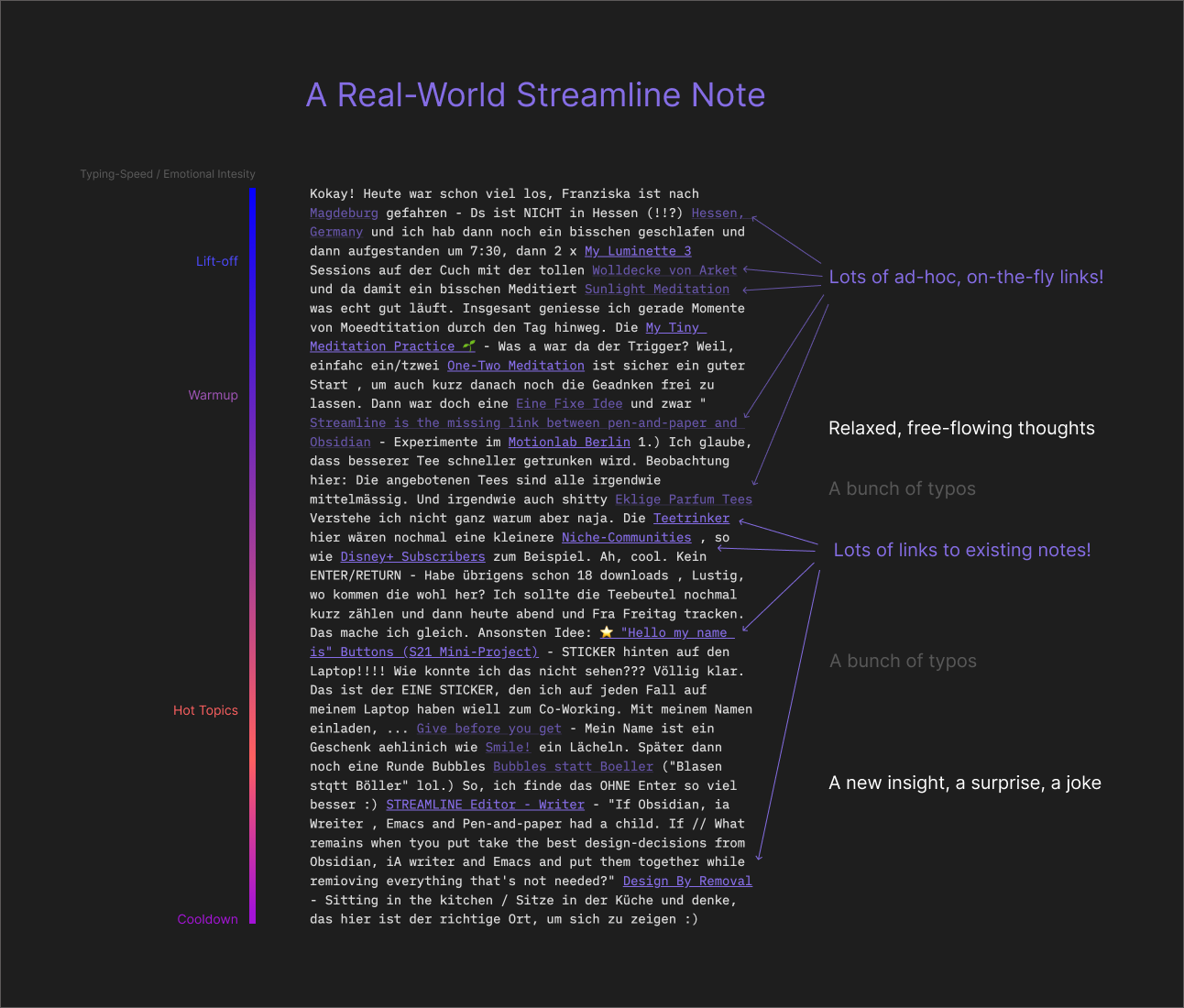
Annotated Note

Learn to listen to your heart

If you’ve never done stream-of-consciousness writing before, it can seem daunting and confusing.

All you need to do is write one word that’s on your mind right now.

There is no hurry. You can type as slow or fast as you like.

With a bit of practice, you’ll be able to hear that quiet inner voice.

You’ll see.

Your heart has some really important things to say.

Learn to love your mistakes

Streamline is a writer, not an editor.

It only moves forward.

When you make a tYpO, there is no DELETE key.

You can’t change the mistake.

What you can do is continue moving forward regardless.

With a little practice, you’ll start focusing on your flow.

(No worries, you can save your writing to markdown and give it the old editor treatment later.)

Learn to link a lot

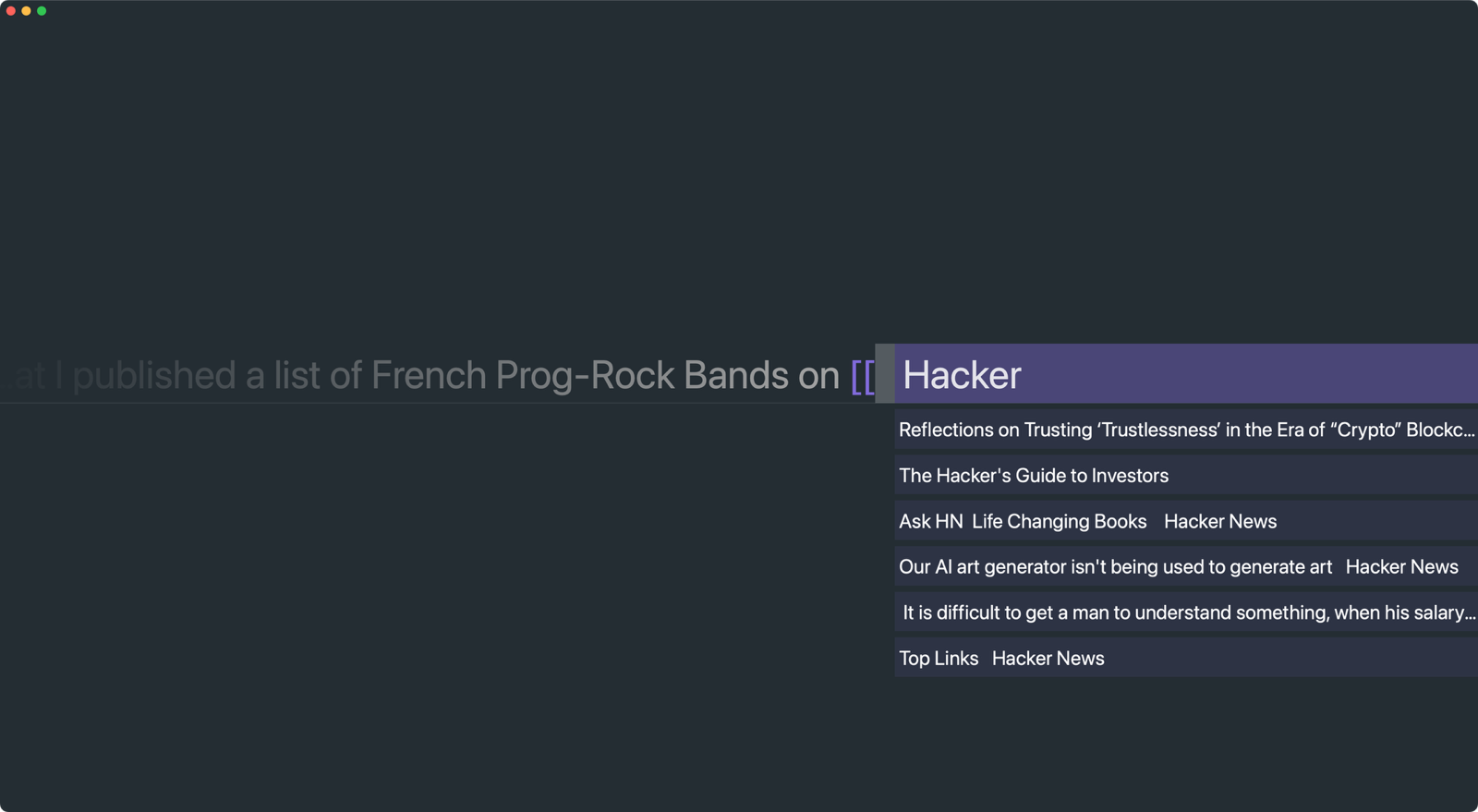
As you’re writing you can link to a note in Obsidian easily:

  • Enter linking mode by typing [[
  • Exit the linking mode with ESC
  • Choose a link with your UP and DOWN arrow keys
  • Insert the link into your stream with RETURN

It takes less than a minute to learn

Once you use it the results are remarkable:

I pepper more links into my journal notes than I do with Obsidian proper.

What you’ll miss

Again, Streamline is a writer, not an editor.

It intentionally only moves forward.

  • There is no backspace to delete a mistake
  • There are no paragraphs to get off-track
  • There is no markdown syntax highlighting to distract
  • There is no copy-and-paste or any other shortcuts

Streamline is free and open-source!

🎁 Download Streamline for macOS 12+
Streamline

I wanted a calm, blank space to get my thoughts out before the day’s noise set in — no menus, no formatting, no friction. As you write, Streamline surfaces your existing notes so a morning brain-dump connects straight into the system you already keep. Everything stays on your machine, with no account and nothing tracked.

Open →

Pudding Research

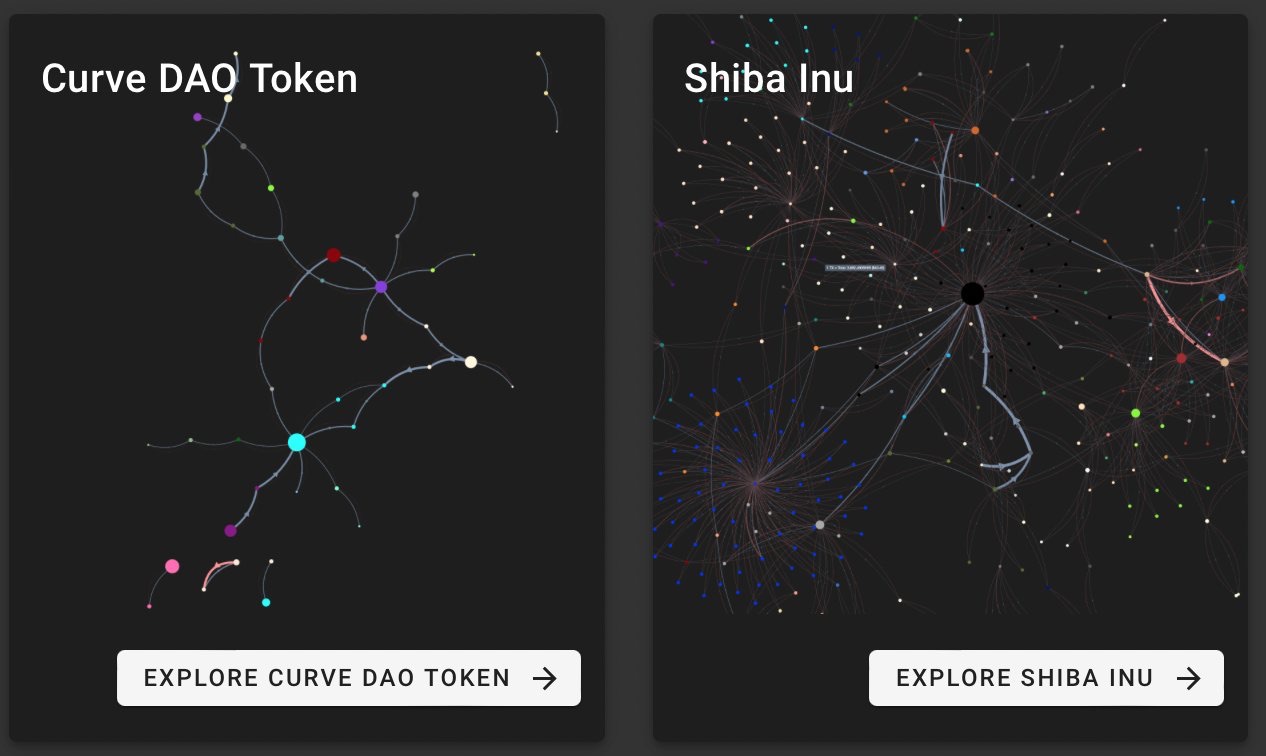
Another open-source OSINT tool I made, this one for Ethereum token ecosystems. Pick any token and instantly see where the money flows — who’s moving it, to whom, and how much. The biggest players and tightest relationships rise to the top, so you can filter out the noise, zero in on what matters, and pull a real story out of the chain. Export what you find to share it. Try it.

Open →

pudding

Open-Source Intelligence (OSINT): connect the dots, follow the money, find the story in Ethereum ERC-20 ecosystems — pulls holders and transfers from public chain data, lays them out as an interactive graph and lets Louvain community detection surface the clusters worth asking about. Runs in the browser, no account needed.

4 stars · 1 fork · TypeScript

Project setup

npm install

Compiles and hot-reloads for development

npm run serve

Compiles and minifies for production

npm run build

Unblah – For people (like myself) who talk too much when they get nervous in meetings

Unblah is a little "meeting-buddy"-app that helps you...

  • Keep track of how long you've been speaking,
  • Catch yourself before you talk too much
  • Develop a better sense of timing

Free download for macOS at: unblah.me/

Included features:

  • Works great with Zoom, Teams, WebEx, Hangouts, even phone calls!
  • Gentle, visible "red-green traffic-light" live notification
  • Hands-free, speech-triggered countdown timer
  • Live timeline for in-meeting adjustments
  • Self-contained, works without internet
  • Native, bloat-free macOS application
  • Get Comfortable Guide (15 minutes)
  • Getting Set Up Guide (1 minute)
  • Installation Guide (1 minute)
2:26 long

getunblah

Machine learning: a macOS meeting-buddy for those (like myself) who talk too much, or too little, when they get nervous — an on-device sound classifier answers "is someone talking?" every few milliseconds, tracks your airtime and shows a gentle traffic light. No recording, no cloud, no sign-up.

24 stars · 2 forks · SCSS

Unblah – For those (like myself) who talk too much, or too little, when they get nervous in meetings

Unblah is a little “meeting-buddy”-app that helps…

  • Keep track of how long you’ve been speaking,
  • Catch yourself before you talk too much, or too little
  • Develop a better sense of timing

Check it out at https://unblah.me